49
Using WebTrack with the BlackBox
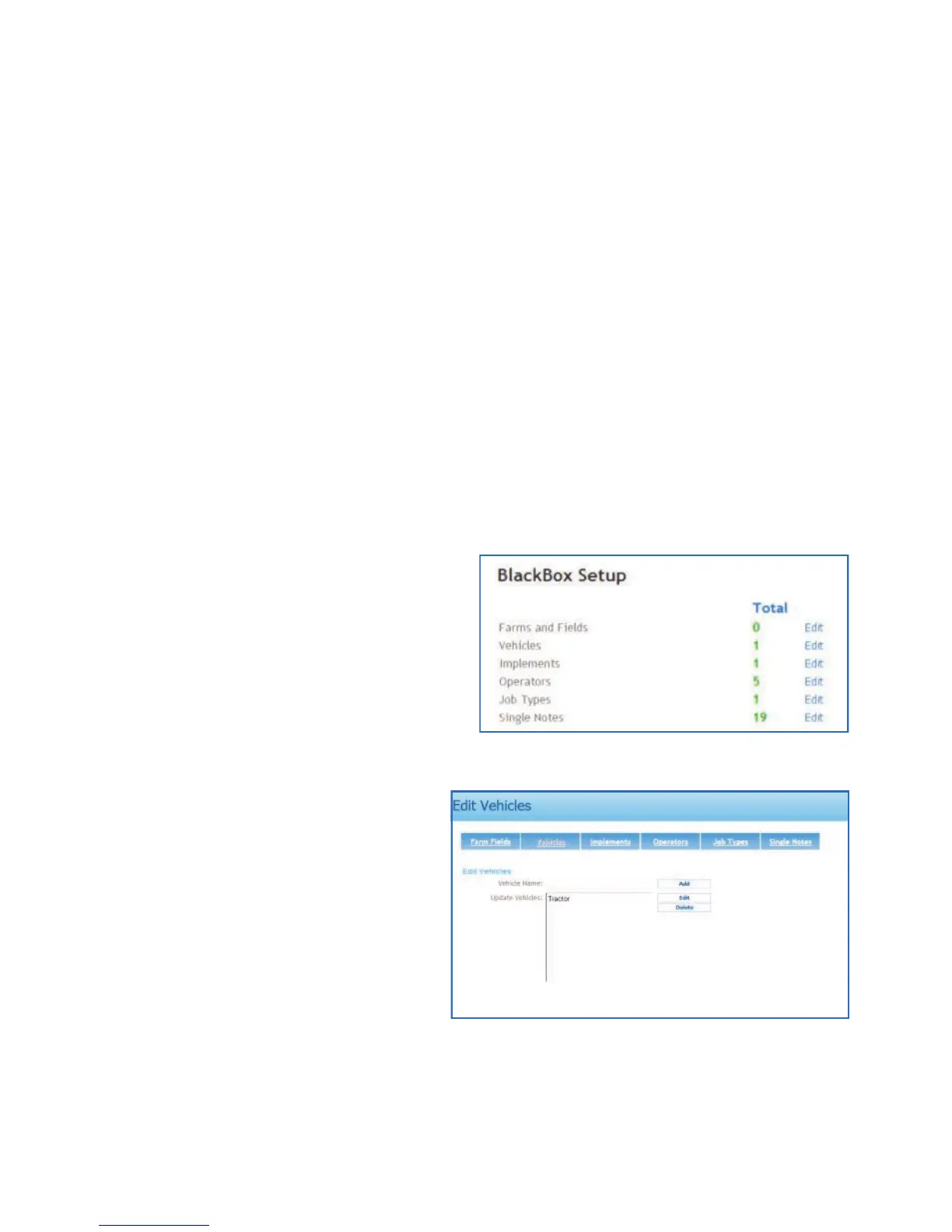
Using ‘BlackBox Setup for recording jobs
Before using the Blackbox for recording jobs, the Farm and Fields, Vehicles,
Implements (switch type and width), Operators and Job types can all be preset
in WebTrack. The Job types can be enhanced by adding form items. The form
items will be listed on the Notes screen which opens after a job is finished, this
prompts the operator to enter information about the job before completing it. For
example the information required could be the weather conditions and/or the
chemical used for the job. Setting up these details in WebTrack allows the
operator to quickly and simply setup the job details by selecting the details from
a list on the BlackBox unit (see ‘Unit Setup – Selection List’ on page 13).
N.B. To get the data to the BlackBox unit a WebSync must be performed, see
‘Transferring data to and from WebTrack via WebSync’ on page 52.
Adding Details
Under BlackBox Setup on your
WebTrack account, click Edit next to
the item that you want to add the
details to.
Type in the name and any
additional information that maybe
required.
Left click the Add button to add the
details.



 To Next Page