21
Unit Setup
...Recording Details > Recording Options
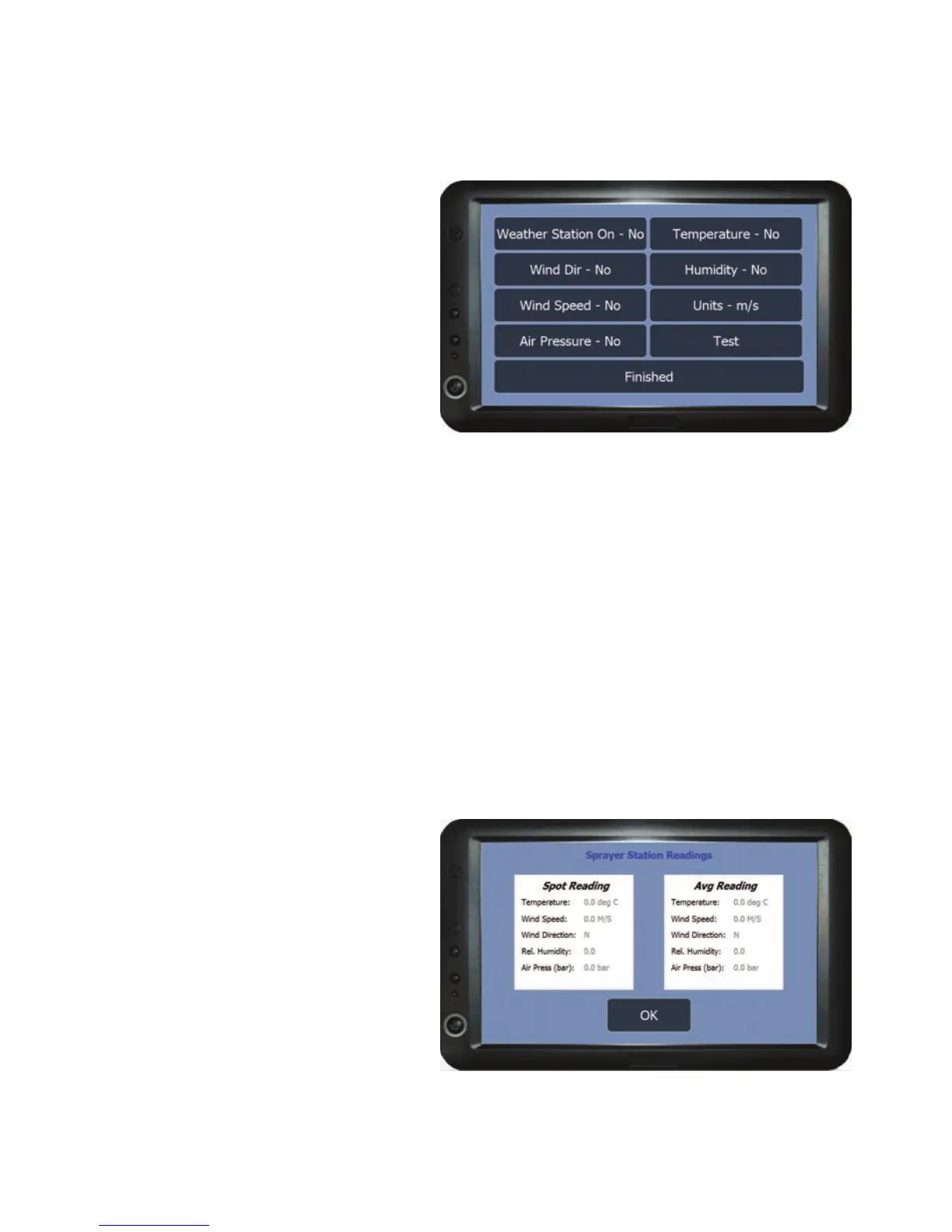
Weather Station Recording Options
The options in this menu are used
to select the weather details that
will be obtained from a vehicle
mountable weather station and
automatically saved to the job
when complete. The weather
station needs to be connected via
the serial port (see connection
diagram on page 11) .
Weather Station On - Sets the weather station recording On or Off. All other
options are dependent on the Weather Station On being set to ‘Yes’.
Temperature - Turns temperature recording On or Off.
Wind Dir - Turns wind direction recording On or Off.
Wind Speed - Turns wind speed recording On or Off.
Units - Changes the units which the wind speed is recorded in.
Humidity - Turns humidity recording On or Off.
Air Pressure -Turns air pressure recording On or Off.
Test - Press to ensure the
information is being received from
the weather station. The test
screen will open displaying the
information that has been set,
once the test is complete press
OK to return to the weather
station menu.
If unsuccessful the serial port
speed may need to be adjusted
(see Ports Setup > Printer Speed
on page 26).
Finished - Returns to the Recording Options menu.



 To Next Page