24
Antenna Offset
Adjusting the antenna position can
improve coverage area recording
accuracy and is vital when using
Headland Warning, Boom Section
control or Auto Shut Off to ensure
that the on / off position is correct
when based on the position of the
implement.
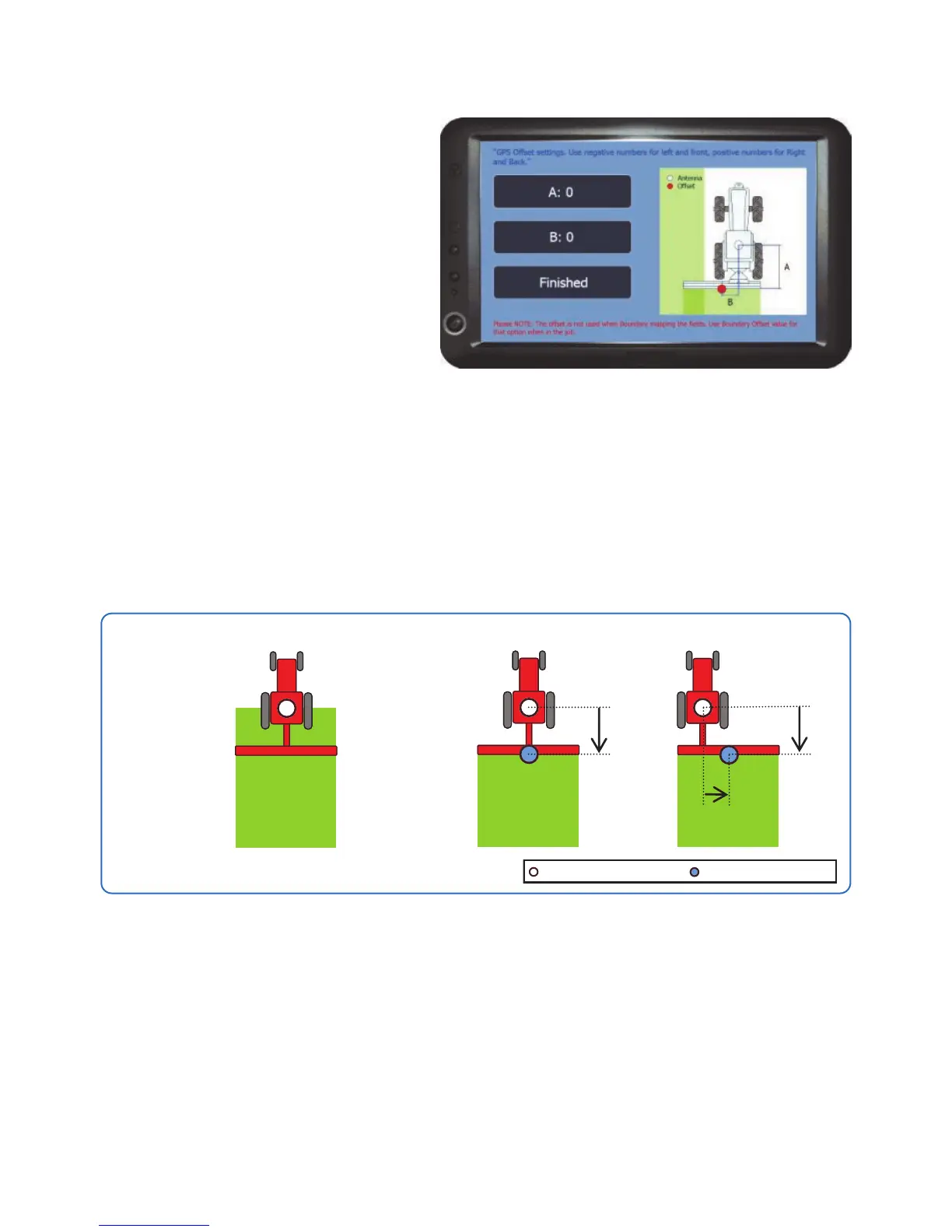
A - Sets the offset distance from the antenna for front or back. Note a negative
number must be entered if setting to the front.
B - Sets the offset distance from the antenna for left or right to the centre of the
implement. Note a negative number must be entered if setting to the left.
NB in most cases a left / right offset is only required when using an offset
implement i.e. A Mower.
Finished - Returns to the GPS Options Menu.
Offset Example
Antenna position
Offset position
No Offset
Recording takes
place from the
antenna position.
With Offset
Recording takes
place from the
offset position.
Offset to
Back only
Offset to Back
and Right
Unit Setup



 To Next Page