51
...creating and adding form items to Job Types
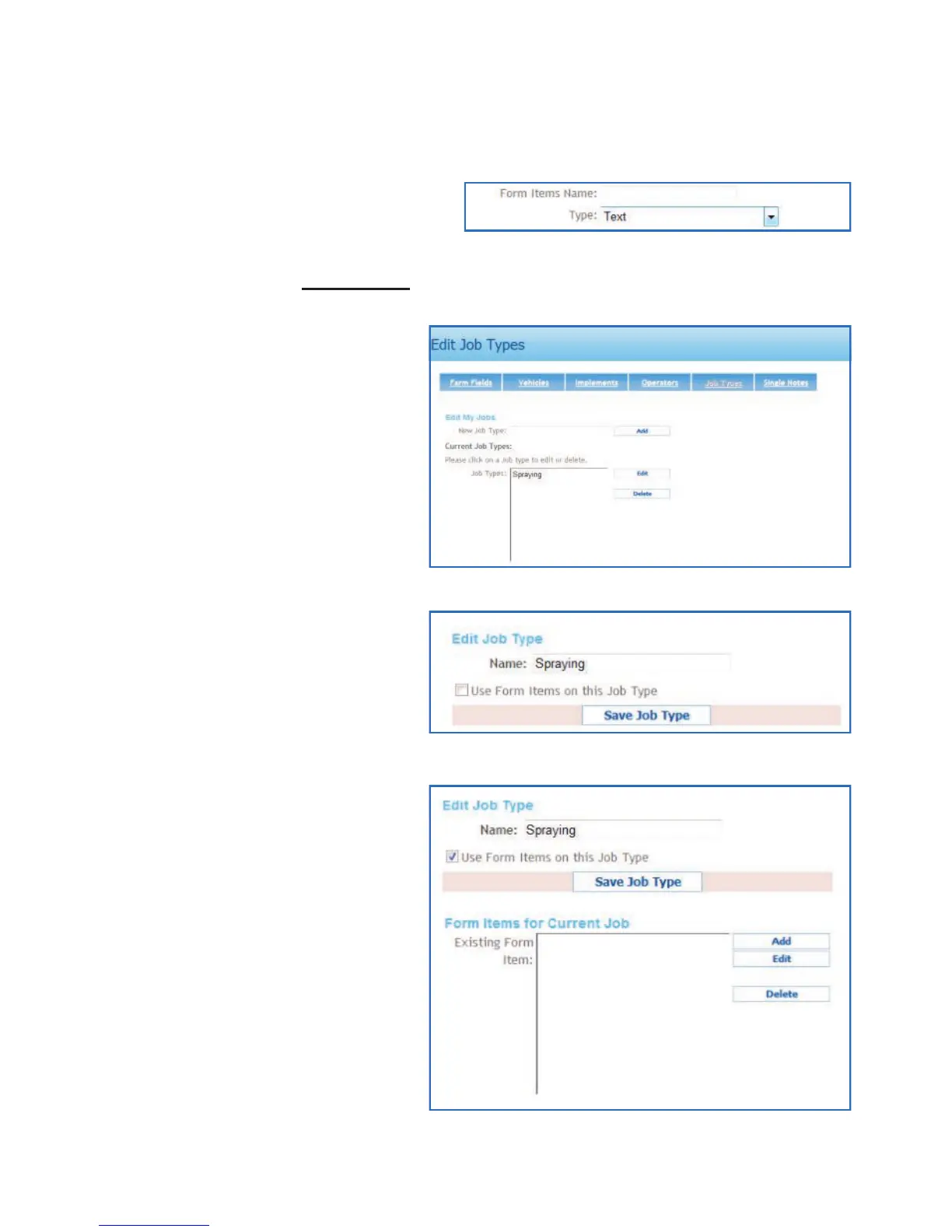
Type in the name, select the input
type and click Save.
To add more form items follow the
two previous steps.
When complete click Job Types.
Highlight the job in the list that
Form Items are to be added to
and click Edit.
Click in check box next to ‘Use
Form Items on this Job Type’
The form items options will
appear, left mouse click Add
Using WebTrack with the BlackBox



 To Next Page