53
Using WebTrack with the BlackBox
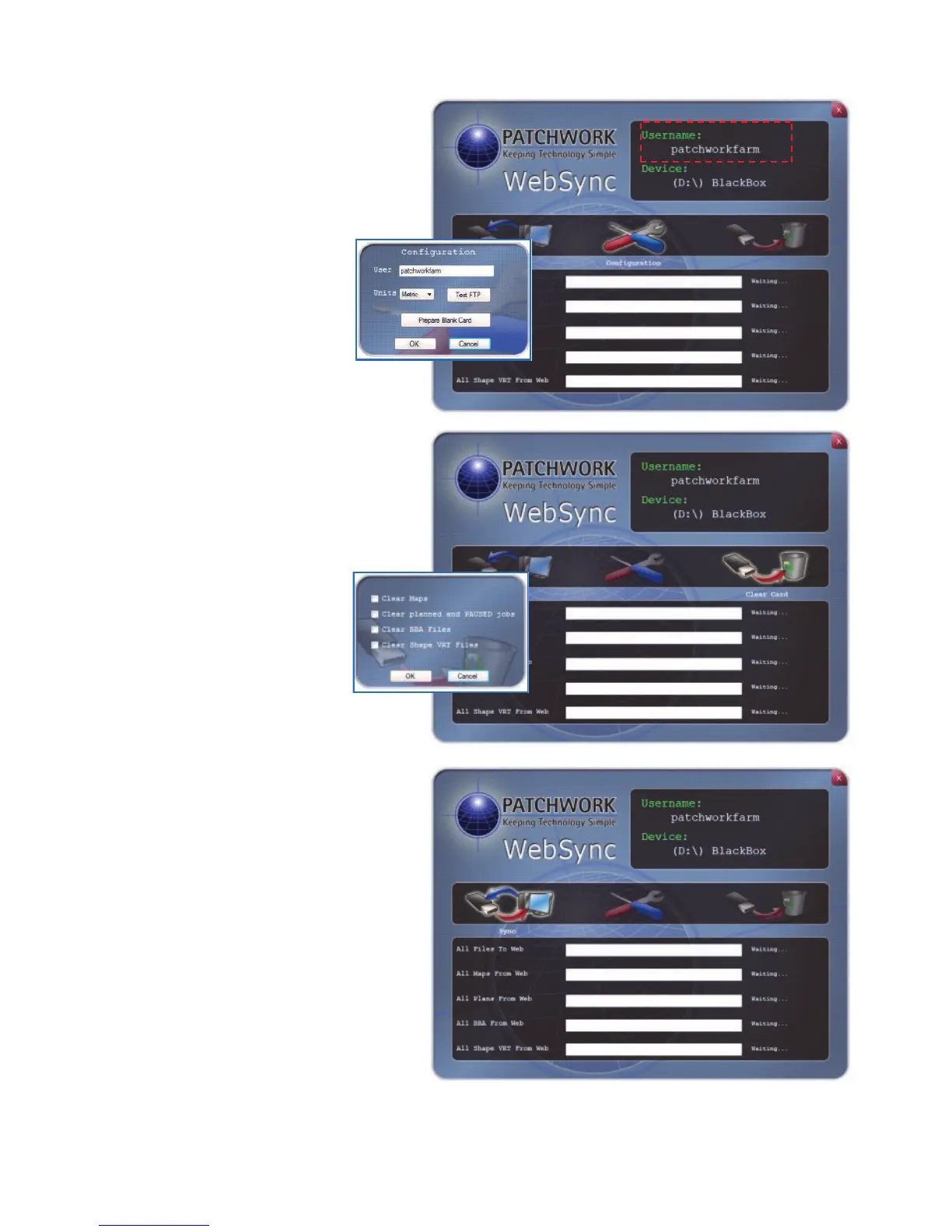
Please ensure the displayed
Username is correct as the data
will be transferred to / from the
account held under that
Username.
If the Username is
incorrect, left click on
Configuration and enter
the correct Username in
the ‘User’ box.
If there are VRT plans no longer
required on the memory card
these can be cleared by clicking
on Clear Card.
Highlight the file types
that are to be removed
by clicking in boxes.
Click OK to remove the
files.
When ready to begin the data
transfer, left click on the Sync
button.
Once the transfer has completed
left mouse click on the OK button
to close the confirmation
message.
To view the data transferred from
the BlackBox unit you need to
login to your WebTrack account
(see page 47).
To use the data transferred from WebTrack, reinsert the memory card into the
BlackBox unit and power up the unit.



 To Next Page