EasyManua.ls Logo

PAX S300 - Maximum Tries

PAX S300
194 pages
Print Icon
To Next Page IconTo Next Page
To Previous Page IconTo Previous Page
Loading...
S300_V1.00.00 User Manual
NOTE: This document is CONFIDENTIAL and must be used exclusively for the operation of PAX programs. It may not be
duplicated, published, or disclosed without PAX prior written permission.
166
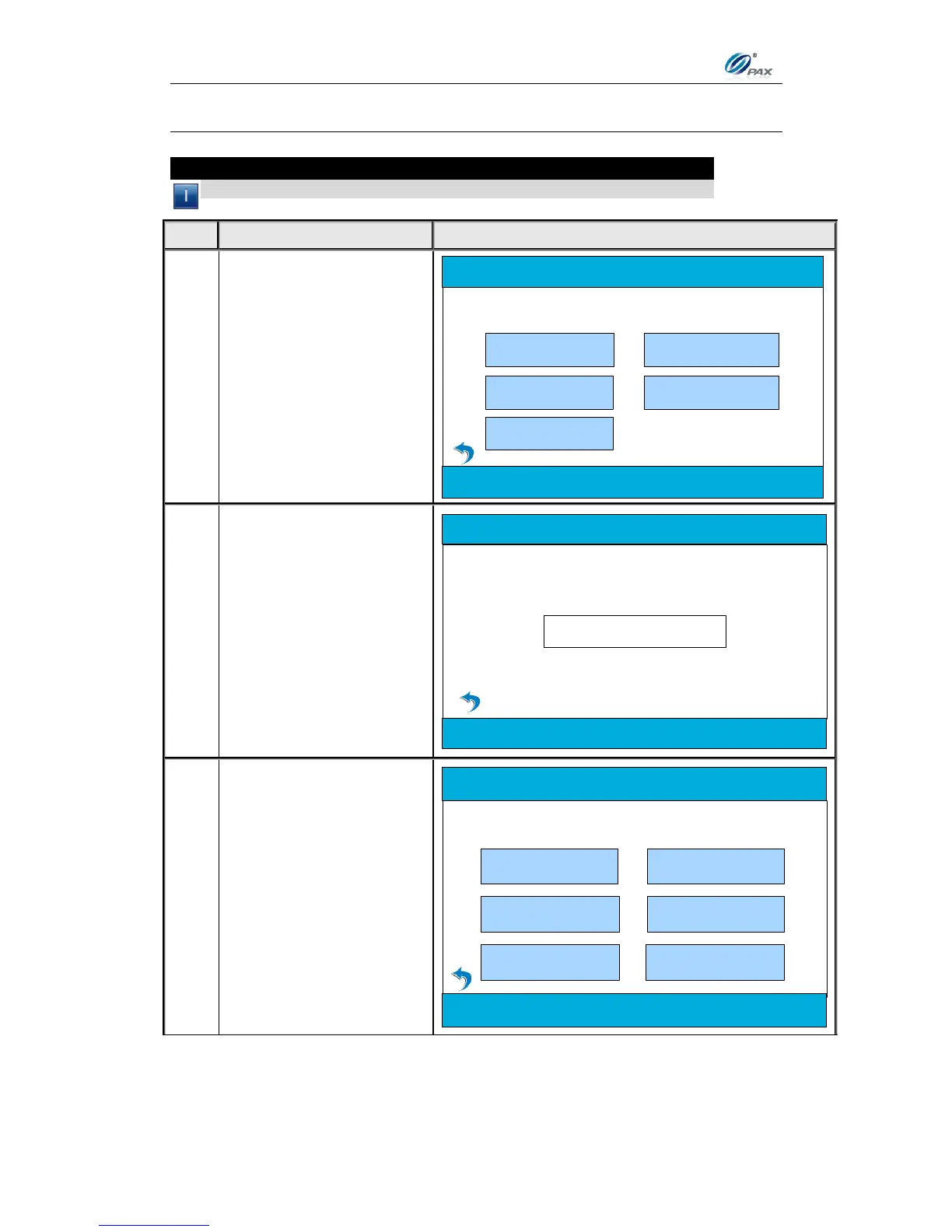
5.7.2 Maximum Tries
Note
Use this feature to set the maximum tries for communication.
STEP
ACTION
DISPLAY
1.
From the Main Menu
press [5] to access the
Comm. Menu.
2.Operation Settings
5. Communication
3. Host Settings
Main Menu
1.Merchant Settings
4. System Settings
2.
Input the Password and
press [ENTER].
Please Enter Password:
3.
From the Communication
Options menu, press [2]
to select the entry for
Maximum Tries.
4.Receive Timeout
2.Maximum Tries
Communication Options
1.Main Comm.
3.Connect Timeout
5.LAN Parameters 6.ECR Comm. Type

Table of Contents

Other manuals for PAX S300

Related product manuals