Chapter 2 Installing PenMount 6000 Control Boards
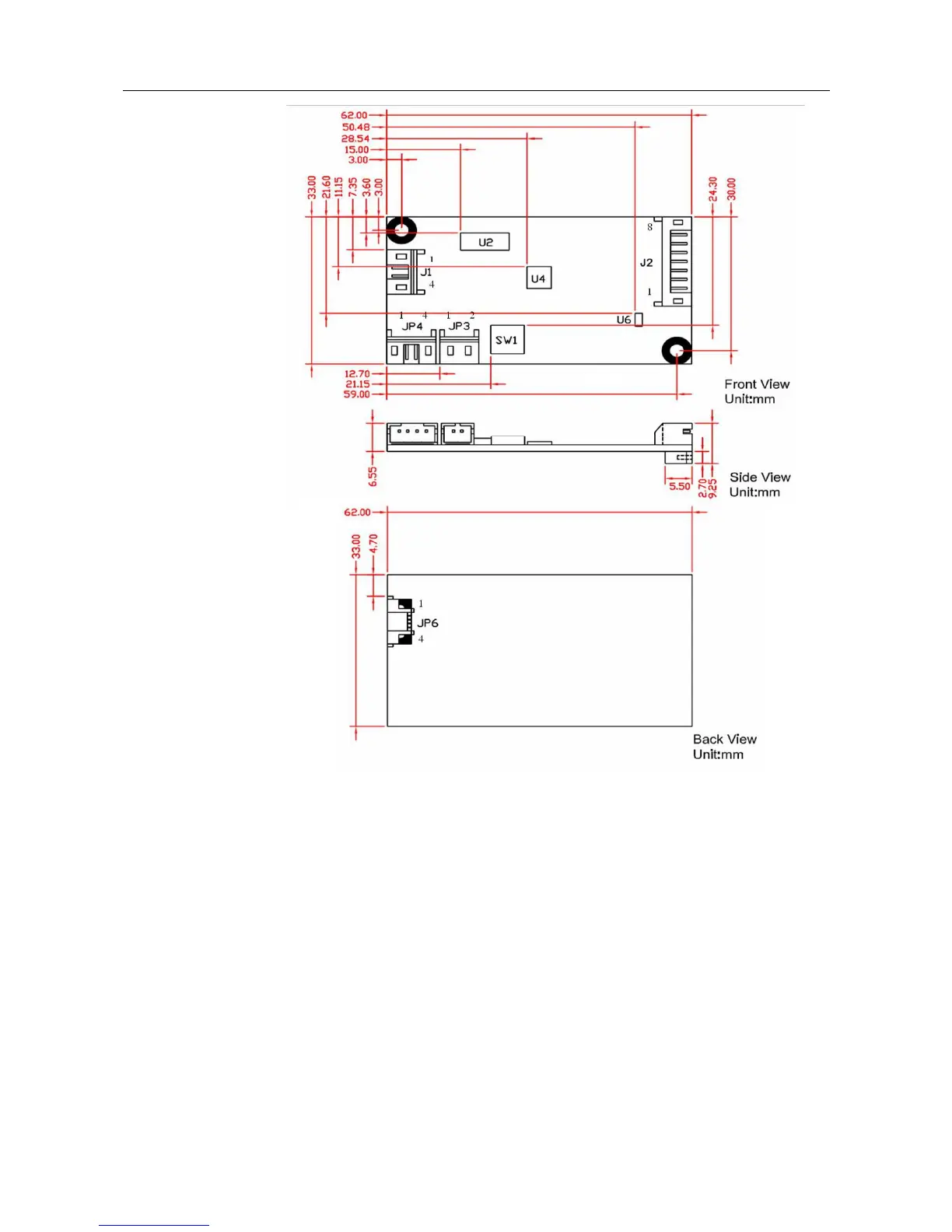
PenMount 6200C Touchscreen Control Board Mechanical Diagram
2.3.2. Install A PenMount 6202B Control Board
PenMount 6202B control boards are touchscreen control boards that use
both RS-232 and USB interfaces and supports 4-wire and 5-wire
touchscreens. The size of the board is 70.0 x 20.0 mm and it was designed-in
with two kinds of connector. One is connected with touchscreen directly for
4-wire or 5-wire selective while the other is supported by both of RS-232 and
USB interfaces.
Follow the steps below to install PM6202B control boards.
1. Power down your computer and display and open your display or system
case. Find space on your system and attach the control board to your
system with screws. The control board has industry standard 3φ screw
holes.



 To Next Page