Chapter 3 Installing Drivers for 6000 Boards
37
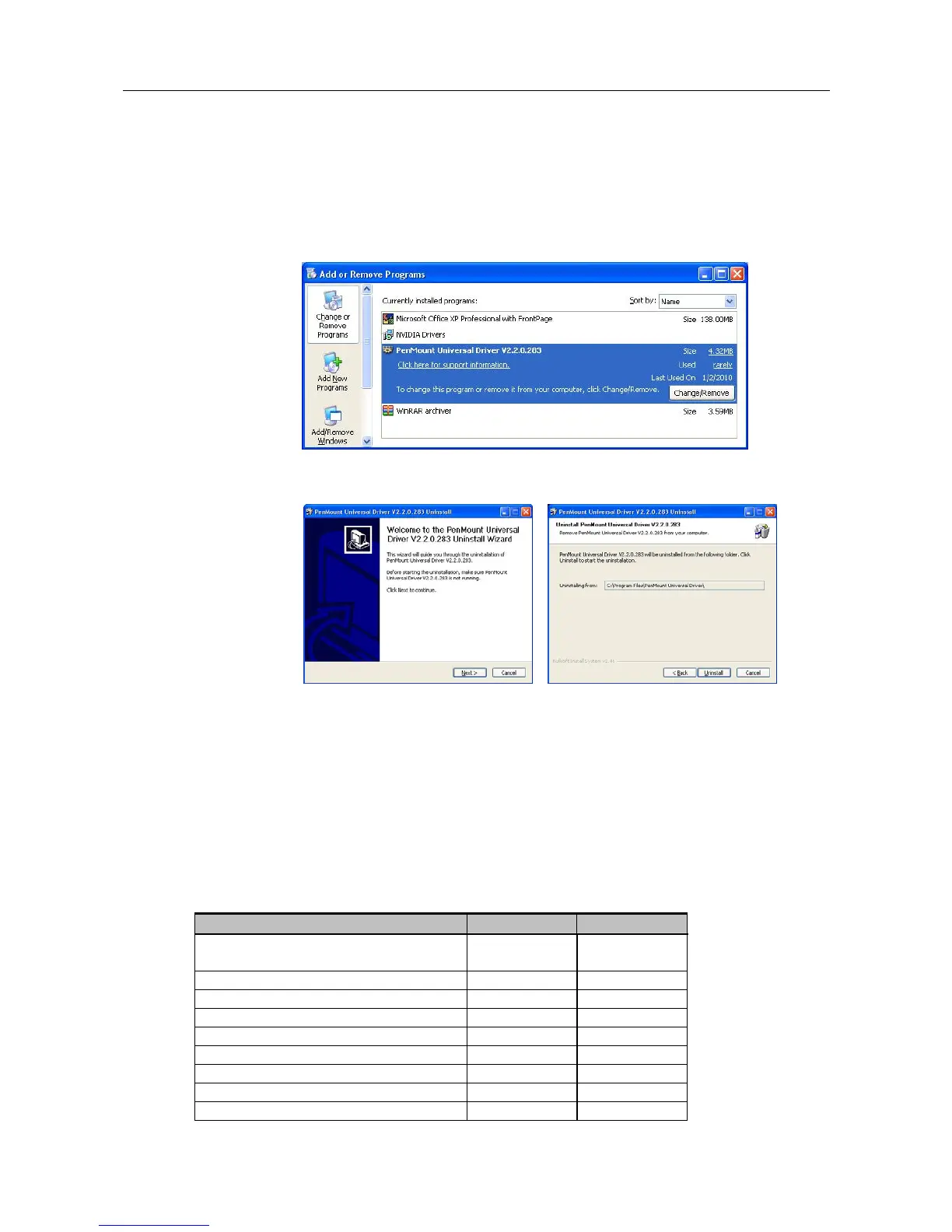
3.2.5. Uninstall PenMount Windows Universal Driver (for
2000/XP/2003/VISTA/7)
1. Exit PenMount Monitor (PM) in the notification area.
2. Go to Control Panel. Click “Add/Remove program”. Select ”PenMount
Universal Driver”. Click “Change/Remove” button.
3. Select ‘Uninstall’ to remove PenMount Windows Universal Driver.
3.3. Install PenMount Linux X Window RS-232 Driver and
USB Driver
Before installing PenMount Linux X Window RS-232 Driver or USB Driver for
PenMount 6000 boards, you must have Linux X Window installed and running on your
computer. You must also have PenMount Serial Interface either 6200x, 6202B, 6300 or
6500 control boards installed.
PenMount Linux X Window RS-232 and USB Drivers for 6000 boards support the
following operating systems:
RS232 USB
Ubuntu
6.06/6.10/7.04/7.10/8.04/8.10/9.04
● ●
Debian 4.0/5.0 ● ●
Fedora 9/10/11 ● ●
Fedora Core 4/5/6/7/8 ● ●
Fedora Core3 ●
Fedora Core2 ●
Slackware12.0/12.1 ● ●
Red Hat 9.0 ●
Red Hat 7.3/8.0 ● ●



 To Next Page