Chapter 2 Installing PenMount 6000 Control Boards
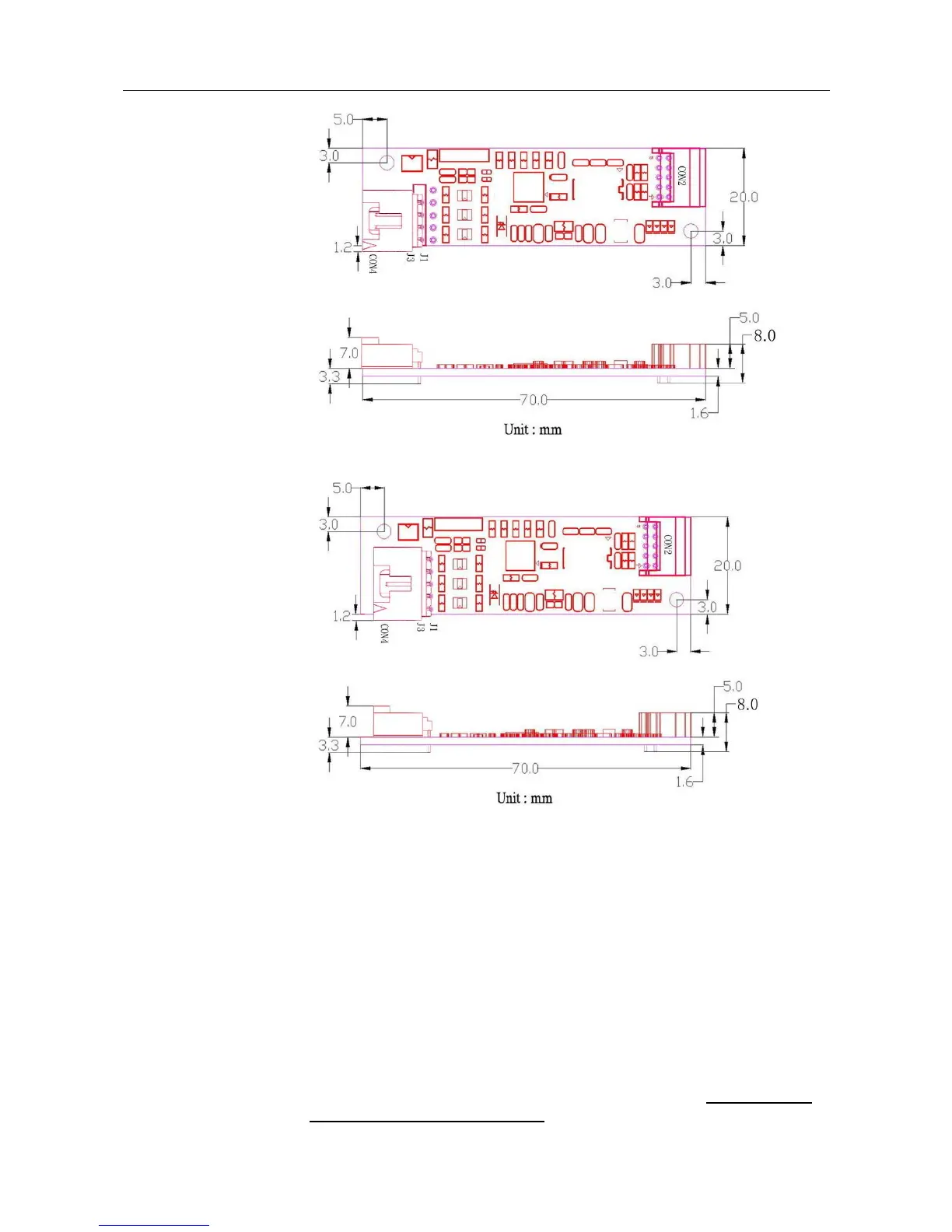
PenMount 6202B CW4 Control Board Mechanical Diagram
PenMount 6202B CW5 Control Board Mechanical Diagram
2.3.3. Install A PenMount 6300 Control Board
The PenMount 6300 control board is a touchscreen control board that uses
USB interface only. It supports 4-wire, 5-wire and 8-wire touchscreens. The
size of the board is 26 x 60mm and it has two connectors and two dipswitches
on-board. Follow the steps below to install the 6300 control board.
1. Power down your computer and display and open your display or system
case. Find space on your system and attach the control board to your
system with screws. The control board has industry standard 3φ screw
holes.
2. For other installation details and dipswitch settings, see
2.3.3 Install A
PenMount 6300 Control Board
on page 8.



 To Next Page