Chapter 2 Installation and Settings
2-5
2.3 Hardware Connection
1. Open the battery cover of the Wireless Pen hardware and put two AAA
batteries in.
2. Turn on the power. Pull the wireless receiver out from the Wireless Pen
hardware, and plug it to the USB port of your computer.
Tip: If any signal interference, you can connect the wireless receiver to
an extension USB cable to avoid the interference equipment.
2.4 Run Wireless Pen Handwriting System
Run [Start/All Programs/Wireless Pen/Wireless Pen] to open the Wire-
less Pen window.
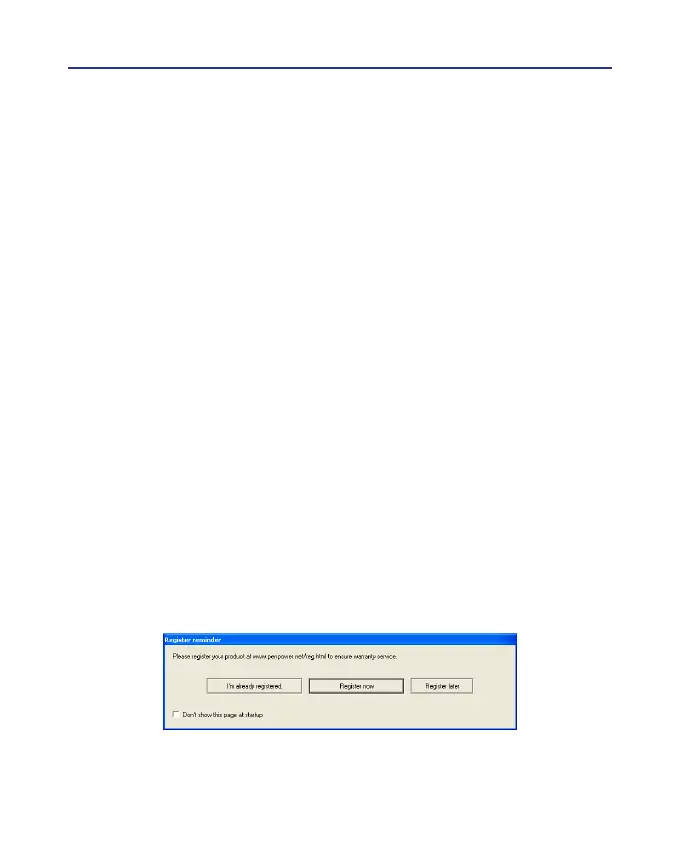
2.5 Registration
A register reminder window will pop up when you launch Wireless Pen
for the rst time . It reminds you registering your product at http://www.
penpower.net/reg.html for ensuring the warranty service. Click [Register
now] to register. If you click [Register later], you may skip it and register
later. If you have registered, please click [I’m already registered], this re-
minder will not display next time you launch this application.



 To Next Page