3-2
Wireless Pen
3.2 Handwriting Modes
Wireless Pen provides two handwriting modes: full screen handwriting
mode and writing pad handwriting mode.
Tip: For more information, please refer to Chapter 5.
3.2.1 Full Screen handwriting Mode
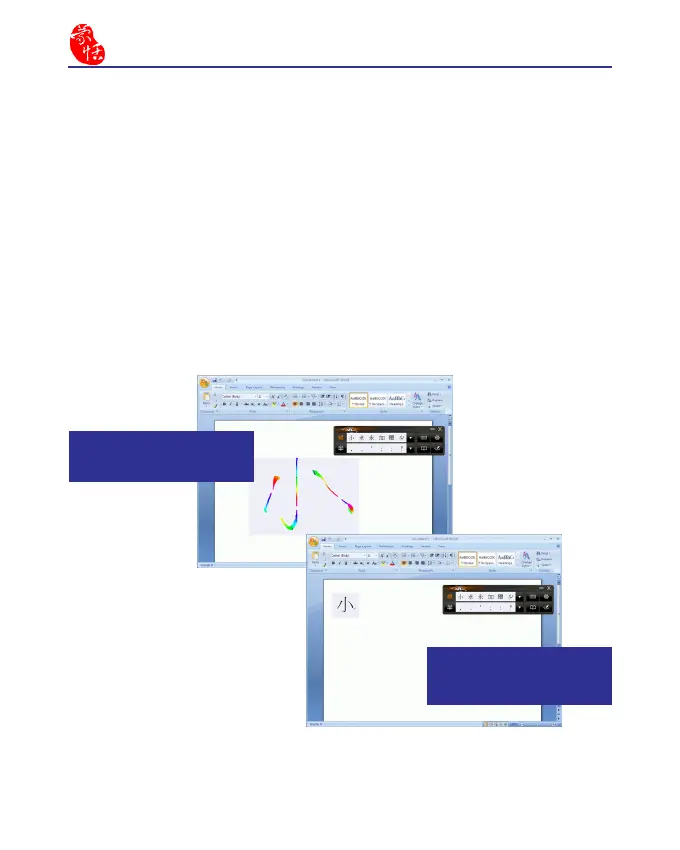
The full screen handwriting mode is the default writing mode in Wire-
less Pen software. Open any word processor, for example Microsoft Word
or WordPad, and write a word on the writing tablet. You can see the stroke
shown on the screen. Select the word you want in the candidate words area
with your mouse and the word will display on the word processor immedi-
ately.
(1) While wring on the tablet,
the stroke w il l s how on t he
screen.
(2) The recognized words will
be listed in the candidate words
area. Select the word you want.



 To Next Page