7-12
Wireless Pen
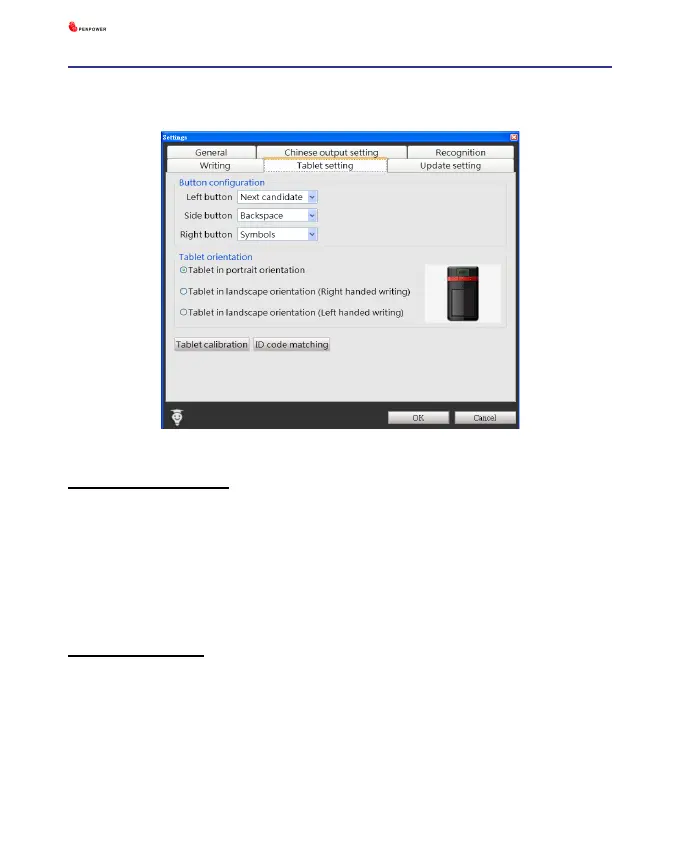
7.5 Tablet Setting
Button Conguration
There are three main buttons on the touch tablet, Left button, Side but-
ton, and Right button and their default functions are Next candidate, Back
space, and Symbols. You can set these three buttons as other functions,
such as Next candidate, Backspace, Symbols, Delete, Next line, Tab, Full/
Half shape, Translation, and Input tool.
Tablet Orientation
You can select the orientation of the Wireless Pen as portrait orientation
or landscape orientation. The landscape orientation provides right-handed
and left-handed choices.



 To Next Page