Chapter 2 Installation and Settings
2-7
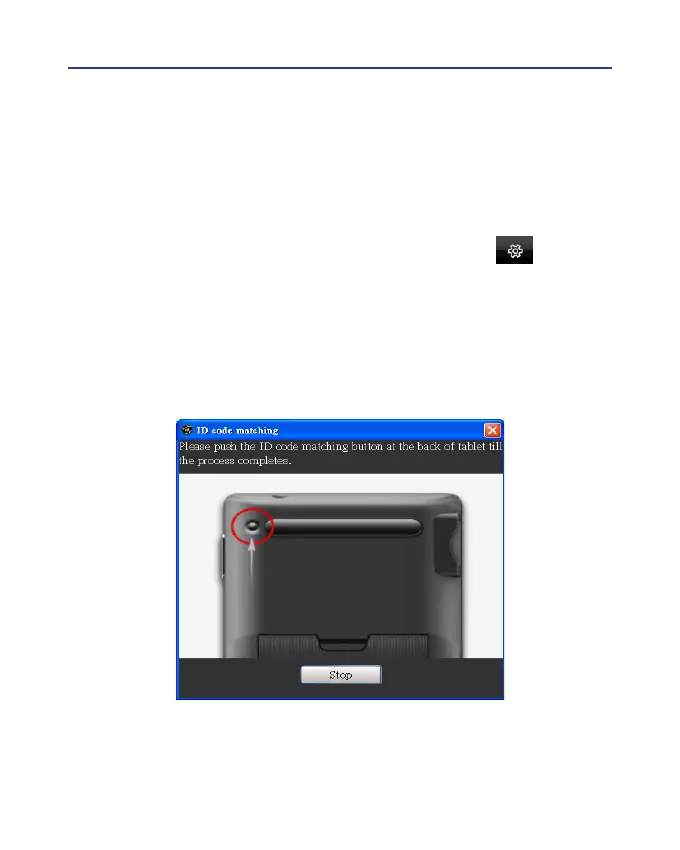
2.7 ID Code Matching
After you connected the Wireless Pen and launched the Wireless Pen,
you should able to write right away. If there are more than two Wireless
Pens or other wireless devices around you and interference your writing or
presentation, you may match your Wireless Pen and your wireless receiver.
1. Please mouse mouse click the function menu button and select
[Settings]\ [Tablet setting]\ [ID code matching] to launch the ID code
matching function.
2. Press the [ID matching] button on the back side of the Wireless Pen.
3. An [ID-matching is successful] window appears when the ID matching
is done.



 To Next Page