Chapter 15 Presenter Mode
15-1
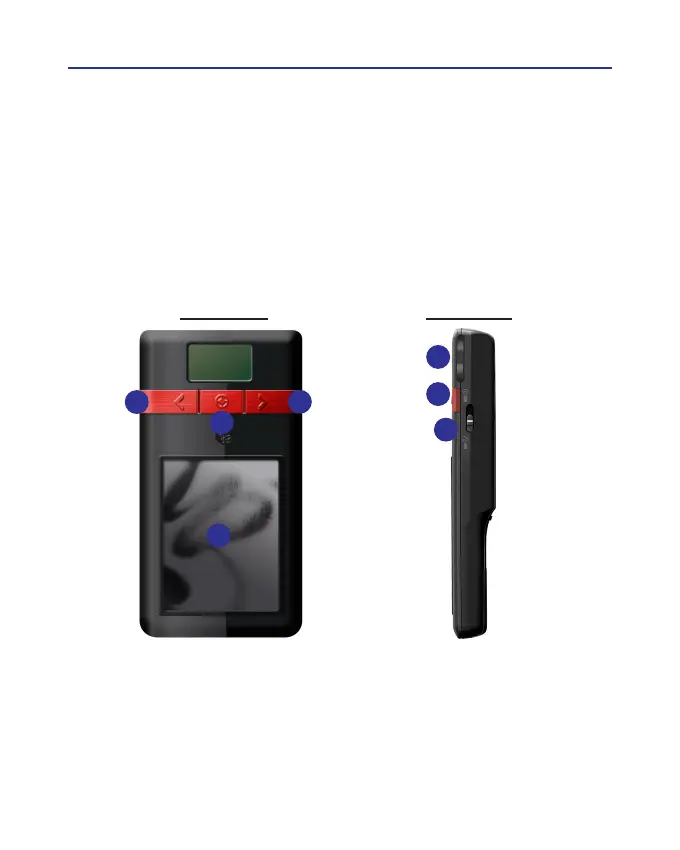
Front Side Right Side
1. Left button: Show the previous page.
2. Right button: Show the next page.
3. Laser point button: Press the laser point button to highlight the main
points in your presentation with the red laser light.
1
2
3
4
5
6
7
Chapter 15 Presenter Mode
The Wireless Pen supports MS PowerPoint presentation application to
make your presentation more professional. You may switch the [Presenter/
Handwriting mode] switch upward to the the [Presenter mode] and use the
following functions to help your presentation. The monitor on Wireless Pen
also displays the current mode information. [P] represetns Presenter Mode
and [H] represents Handwriting Mode.



 To Next Page