4-8
Wireless Pen
Note: When Bubble Interface is in 64-bit Operating System, it won’t sup-
port certain applications(e.g., Notepad). Moreover, Bubble Interface
can’t be used in Windows 8.
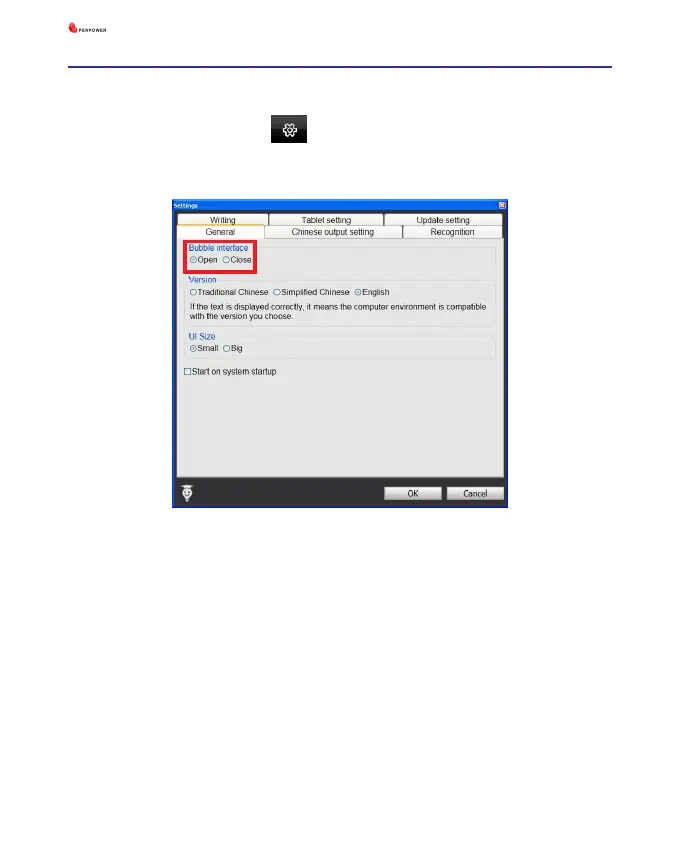
4.6.1 Open and Close Bubble Interface
1. Click the function button and select [Settings].
2. Select the [General] tag.
3. You can see [Open] and [Close] options under Bubble Interface in
[General] tag. Check the [Open] or [Close] option to open or close the
bubble interface.



 To Next Page