71
Playback / Deleting
5
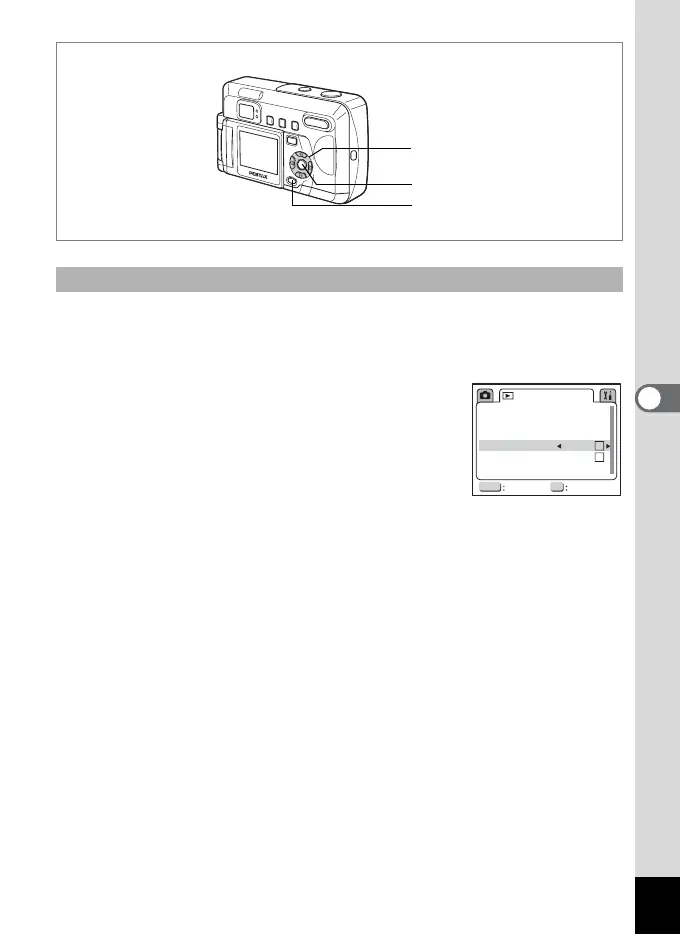
When Quick Zoom is set to on, pressing the zoom button (x) during
magnified display will increase display magnification to 1×, 2×, 4×, 8×
and 12×.
1 Press the MENU button in playback
mode.
The [Q Playback] menu appears.
2 Use the four-way controller (23)
to select [Quick Zoom].
3 Use the four-way controller (45) to select [O (on)] or
[P (off)].
4 Press the OK button.
The camera is ready to take the picture.
Turning Quick Zoom On and Off
4
1
2, 3
1
MENU OK
3sec
Copy Image
Quick Zoom
Quick Delete
Exit OK
Playback
Show
Slideshow
Protected Image



 To Next Page