How to Use This Manual
2
Names and Functions of the Working
Parts .............................................................p.7
How to Change Function Settings ............. p.13
Menu List ......................................................p.15
Attaching a Lens .........................................p.21
Using the Battery and Charger ..................p.22
Inserting a Memory Card ............................p.24
Initial Settings ..............................................p.25
Basic Shooting Operation ..........................p.27
Reviewing Images .......................................p.28
Selecting the Appropriate Capture Mode ..p.29
Setting the Exposure ..................................p.33
Using the Built-in Flash ..............................p.34
Focusing ......................................................p.36
Setting the Drive Mode ...............................p.38
Setting a File Format ...................................p.43
Adjusting the Color and Brightness of Images
......................................................................p.43
Controlling the Image Finishing Touch .....p.46
How to Use This Manual
1
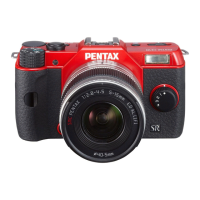
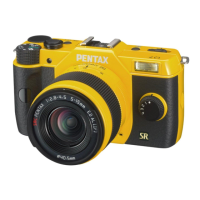
Introducing the PENTAX Q7 ............p.7
Gives you an overview of the PENTAX Q7.
Read this and get to know your Q7!
2
Getting Started .......................................p.21
Explains how to get your PENTAX Q7 ready for
shooting as well as basic operations.
3
Taking Pictures ......................................p.29
Once you’ve confirmed that the camera works
properly, try out the camera and take lots of
pictures!


 To Next Page