UC***-18GS series
Description of Sensor Parameters
2020-11
45
Switch point mode
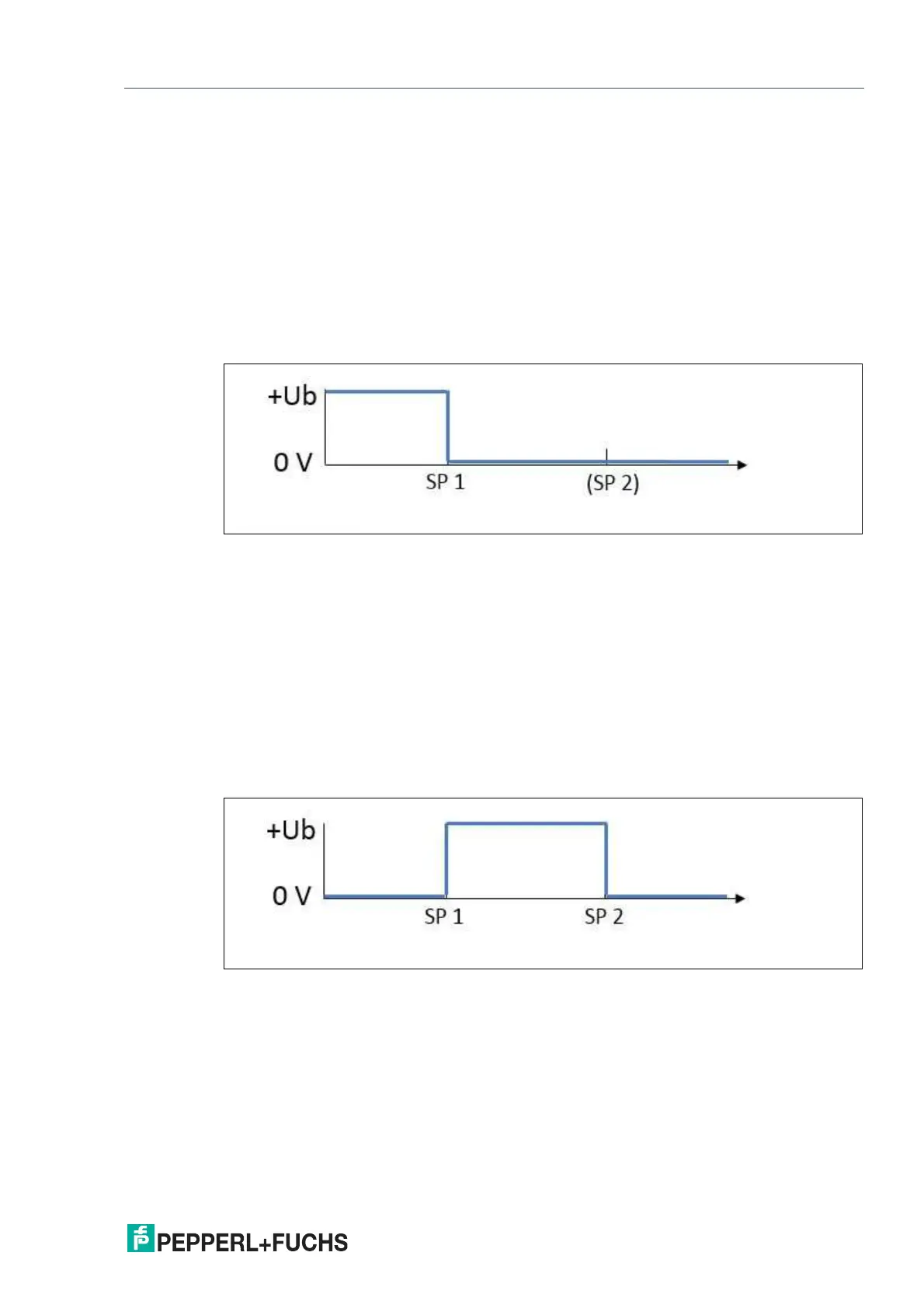
If the mode is set to "Switch point mode," the output status changes at the set switch point 1.
The direction of motion or fill level of the object, to or from the sensor, and any configured
switch point 2 are not relevant.
Switch Point Mode in Practice
In practice, this mode is used to monitor a tank fill level at a minimum or maximum level. If the
media drops below or exceeds this level, the status of the switching output changes and indi-
cates as such.
This setting is also suitable for preventing driverless transport systems from colliding with
objects in the path of travel. In this application, the output changes value if an object is detected
within a minimum distance. This causes the engine to stop or activates the vehicle's brakes.
Figure 8.1 Example of behavior of a "normally-open" push-pull / PNP switching output in switch point
mode
Window Mode
When set to window mode, the status of the switching output changes if an object is detected
within the area between switch points 1 and 2. The direction of motion of the object to and from
the sensor is not relevant.
Window Mode in Practice
An ultrasonic sensor is mounted laterally on a conveyor belt and counts the conveyed goods.
When window mode is set, its output only switches if objects are detected on the conveyor belt.
Individuals who pass the sensor behind the conveyor belt do not cause the output to switch.
This setting can indicate whether a tank fill level is within a desired range and is neither too full
or too empty.
Figure 8.2 Example of behavior of a "normally-open" push-pull / PNP switching output in window
mode



 To Next Page