HEATING AND AIR CONDITIONING
Automatic Control
Mode
Your vehicle’s air conditioning system
is equipped with an automatic button
that provides complete cab climate
control without driver interaction. When
selected, the system will manipulate
the air distribution, air temperature, fan
speed, A/C compressor, and cab air
recirculation to achieve the comfort
level selected on the temperature dial.
The button that enables automatic
mode is labeled AUTO. The system
will remain in automatic mode until the
driver adjusts the dials on the control.
Adjust the temperature knob and the
system will respond to obtain the
selected comfort level as quickly as
possible.
Using the
automatic mode:
Step 1:
Turn on HVAC by rotating
fan speed control clockwise.
Step 2: To engage automatic
mode, press the AUTO button.
Step 3: To adjust cab temperature,
rotate the temperature dial to the
desired temperature. The system
automatically adjusts to achieve the
desired cab temperature.
The system
will achieve the comfort
level associated with the selected
temperature on the temperature dial.
Therefore, depending on the specic
environmental conditions, the air
temperature can be slightly higher or
lower than the set point. This is a
normal function of the AUTO mode and
is not to mistaken for a malfunctioning
system.
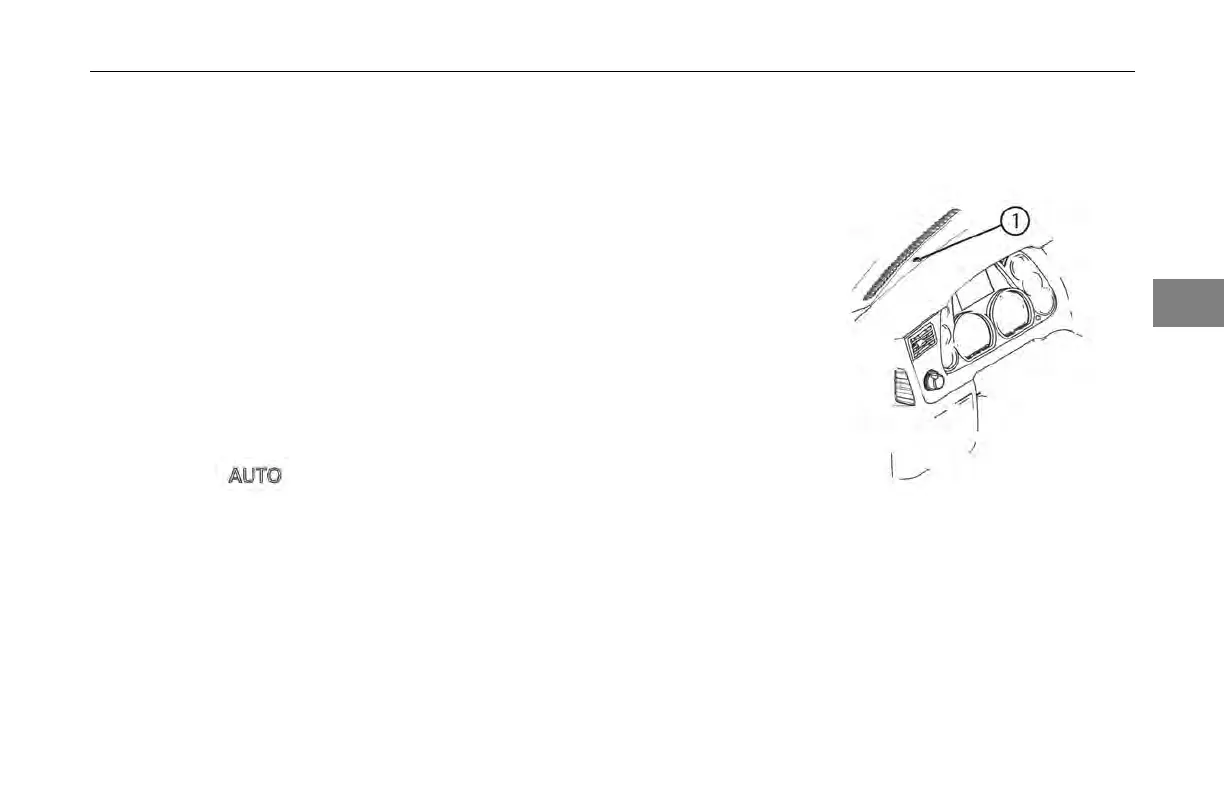
The AUTO
function uses a sun light
sensor to measure the amount of
sunlight entering the cab. This sensor
is located
at the base of the windshield
on the driver’s side of the instrument
panel. Do not block this sensor.
1 Sunlight Sensor
Partial Automatic
During AUTO mode the operator may
override any setting and operate in
a partial automatic mode. This can
be done via the dials and/or buttons
3
(04/13) Y53-6047–2C 3-83



 To Next Page