SWITCHES
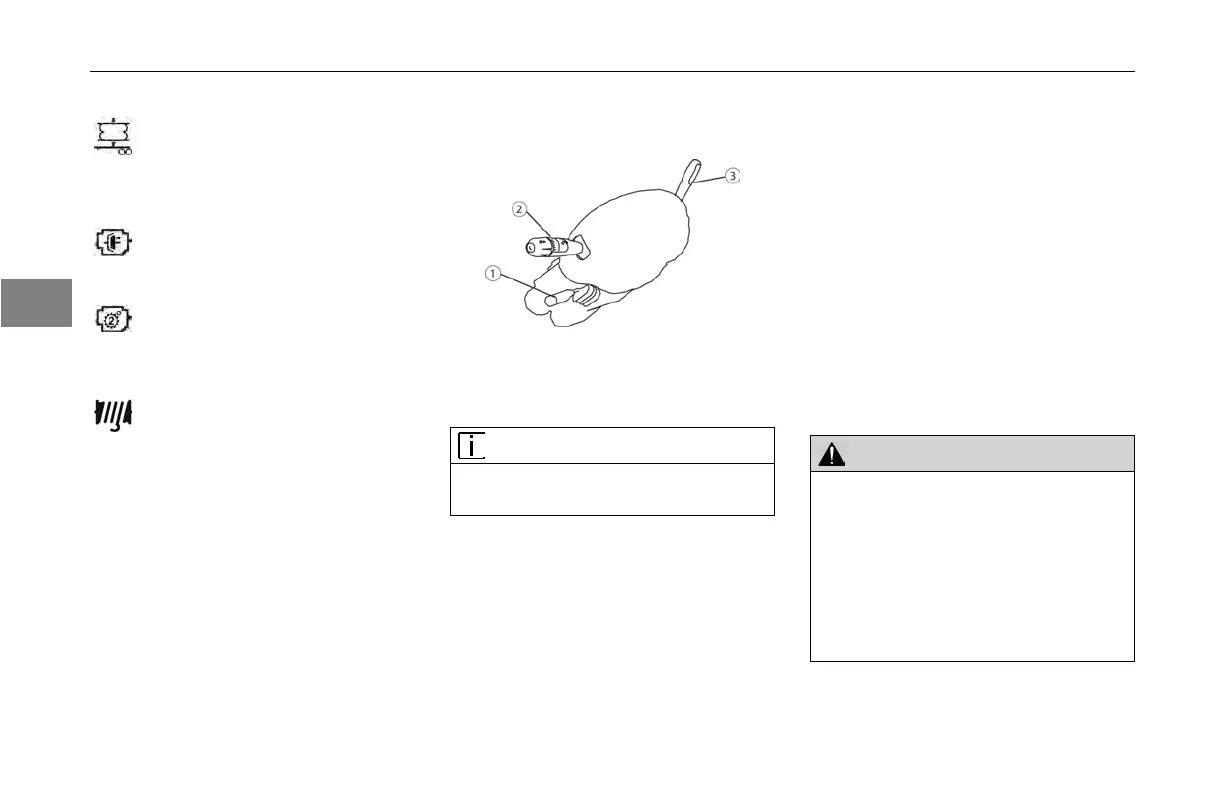
Steering Column Controls
Introduction
1. Tilt Telescoping Lever
2. Turn
Signal Lever
3. Trailer
Hand Brake
NOTE
The ignition
key must be turned to ON
for the signal/switch to operate.
The turn
signal lever is mounted on
the left side of the steering column.
The lever controls several functions:
turn signal, high beam, and windshield
wiper control.
1. Tilt/Telescoping
Steering Column
Depending on
your vehicle’s
conguration, you may have either
a Tilt/Telescoping or a xed steering
column.
• The tilt feature allows forward and
rearward movement of the wheel.
• The telescoping feature allows you
to move the wheel up and down.
To
activate these features, locate the
Tilt/Telescoping lever.
WARNING!
Make all adjustments to the steer-
ing mechanism while the vehicle is
stopped. Adjusting the Tilt-Telescop
-
ing Steering Wheel while the vehicle is
in motion could cause loss of control.
You wouldn’t be able to steer properly
and could have an accident resulting
in death or personal injury.
63. Trailer, Suspension Air Dump
Turn
switch on to deate Trailer Air
Suspension. This switch does not
require ignition power to maintain
the desired switch setting.
64. Transmission,
Transfer Case
Turn
switch on to shift the
Transfer Case.
65. Transmission,
Transfer
Case 2 Speed
Turn
switch on to shift the 2
Speed Transfer Case.
66. Winch
Clutch
Turn
switch on to engage
Winch Clutch.
3
3-68 Y53-6047–2C (04/13)



 To Next Page