ACCESSORIES
ACCESSORIES
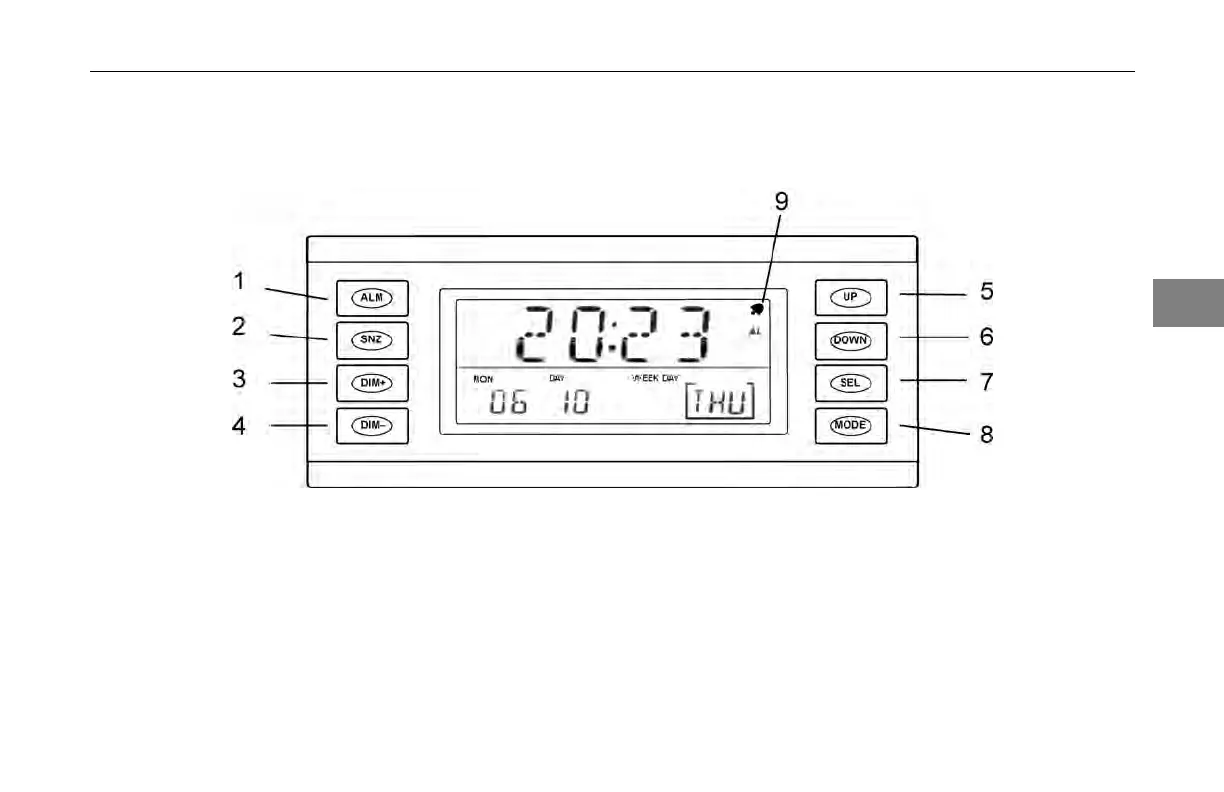
Sleeper Alarm Clock
3
1. Alarm - press to turn on the
alarm
5.
6.
Increase value of setting
Decrease value of setting
time/date and
or alarm
setting
2. Snooze - press
to snooze
the alarm bell
7. Select - press
to choose the
setting being changed while
9. Active alarm
icon - alarm
is activated when this icon
3. Dimmer/brighter - press
to
make display brighter
adjusting the
either the time
or the alarm
appears
4. Dimmer/darker - press
to
make display less bright
8. Time
and Alarm value
setting - press to change
(04/13) Y53-6047–2C 3-91



 To Next Page