HEATING AND AIR CONDITIONING
Buttons and
Dials
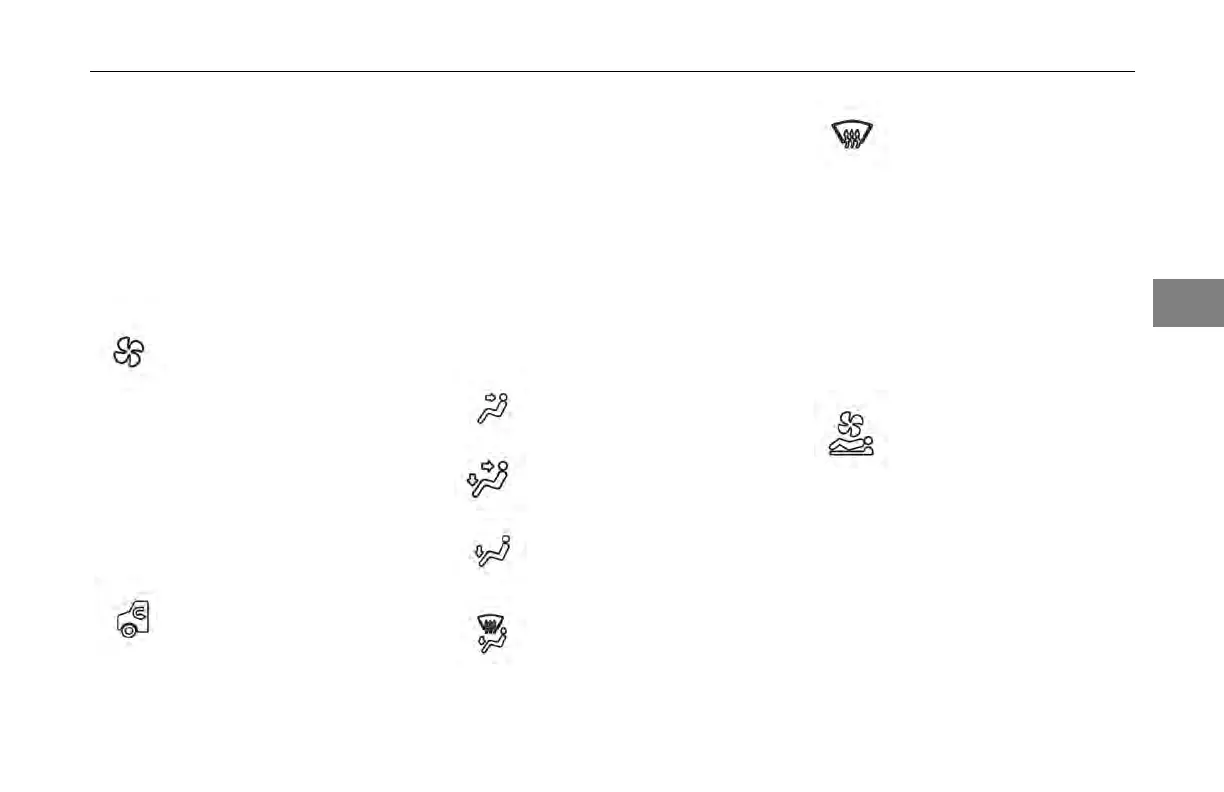
Fan Speed Control Dial
The fan
speed is adjusted by rotating
the dial clockwise to increase speed or
counterclockwise to decrease speed.
Setting the fan dial to “O” turns the
HVAC system off.
Fan Speed Adjustment
The source of air entering the cab
can be set to either outside air or
recirculation air using the button inside
the fan speed control dial. Recirculated
air is automatically selected in defrost
modes.
Outside Air/Recirculation Air
Button
Air Distribution Dial
The mode
of air distribution inside the
cab is set using the air distribution
dial. Five icons on the dial indicate
the primary mode options. The driver
may also select a secondary mode in
between the primary modes indicated
by points on the dial. Airow is
provided to the side windows in all
modes.
Panel Vents
Panel and Floor Vents
Floor Vents
Floor and *Defrost Vents
*Defrost Vents
*Automatically engages
outside air and A/C
compressor.
Power to the sleeper HVAC unit can
be toggled using the button inside the
air distribution dial. When activated,
the indicator on the button illuminates.
The sleeper HVAC unit will function to
the settings of the sleeper control.
Sleeper Override Button (for
vehicles with a sleeper)
3
(04/13) Y53-6047–2C 3-85



 To Next Page