Programming
11 - 23
Fig. 11 - 40
1 2
3
4 5 6 7 9 0
Enter
8
Esc
Clear
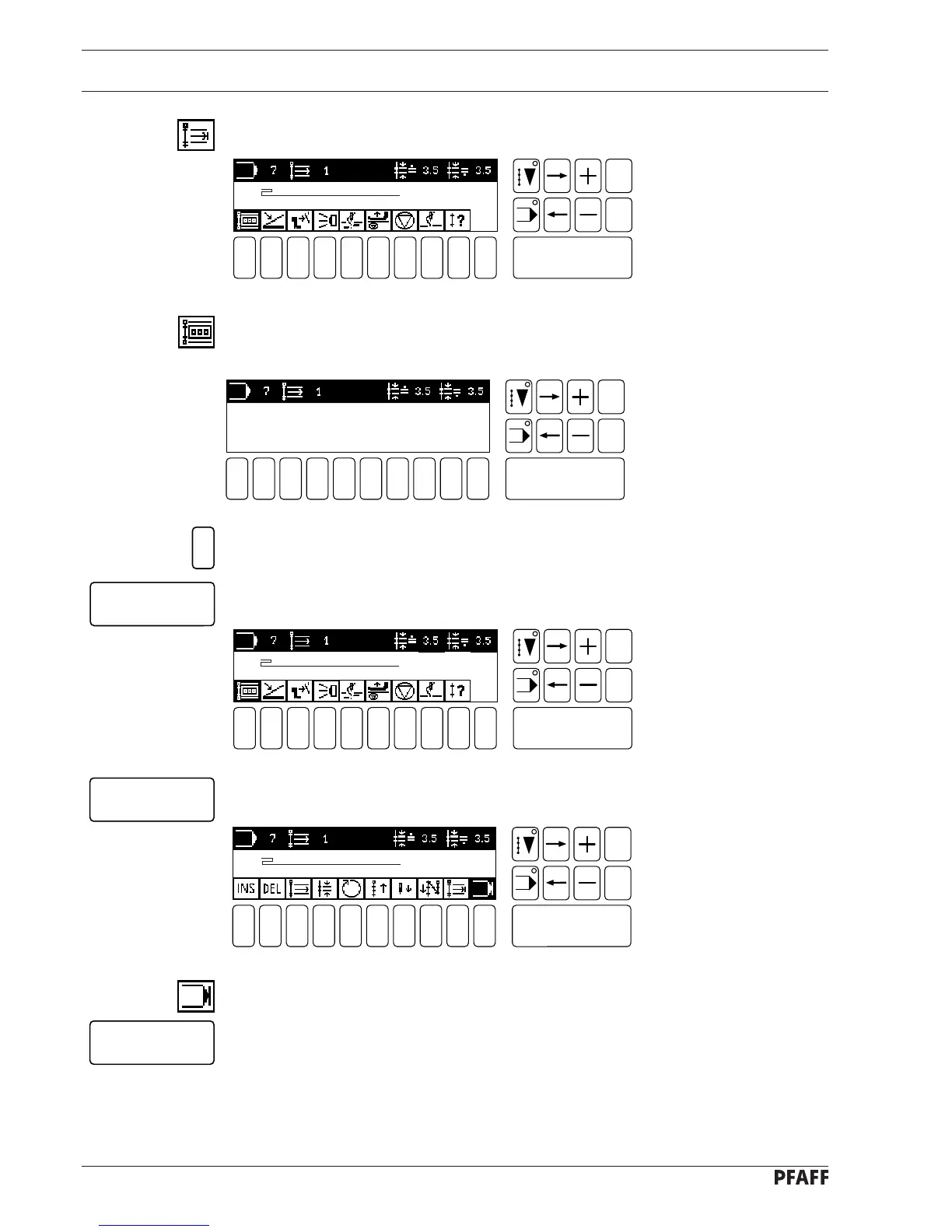
● Select the seam section end function (number key 9).
● The stitch counter function is already on (dark background). By activating the function
(number key 1) the menu for inputting the number of stitches is opened.
1 2
3
4 5 6 7 9 0
Enter
8
Esc
Clear
Fig. 11 - 39
NO. OF STITCHES: 0 STITCHES
[ PERMISSIBLE: 1 - 999 ]
● Enter the desired number of stitches.
● Confirm this entry with the Enter key.
5
Enter
● Close the seam section end menu with the Enter key.
● Switch off the program end function (number key 0) in order to be able to program the
second seam section.
● Press the Enter key to confirm the first seam section.
Enter
Enter
# 1
NO. OF STITCHES 0
# 1
NO. OF STITCHES 5
# 1
NO. OF STITCHES 5
Fig. 11 - 38
1 2
3
4 5 6 7 9 0
Enter
8
Esc
Clear
Fig. 11 - 37
1 2
3
4 5 6 7 9 0
Enter
8
Esc
Clear



 To Next Page