60
11. P 65+ back for Mamiya RZ
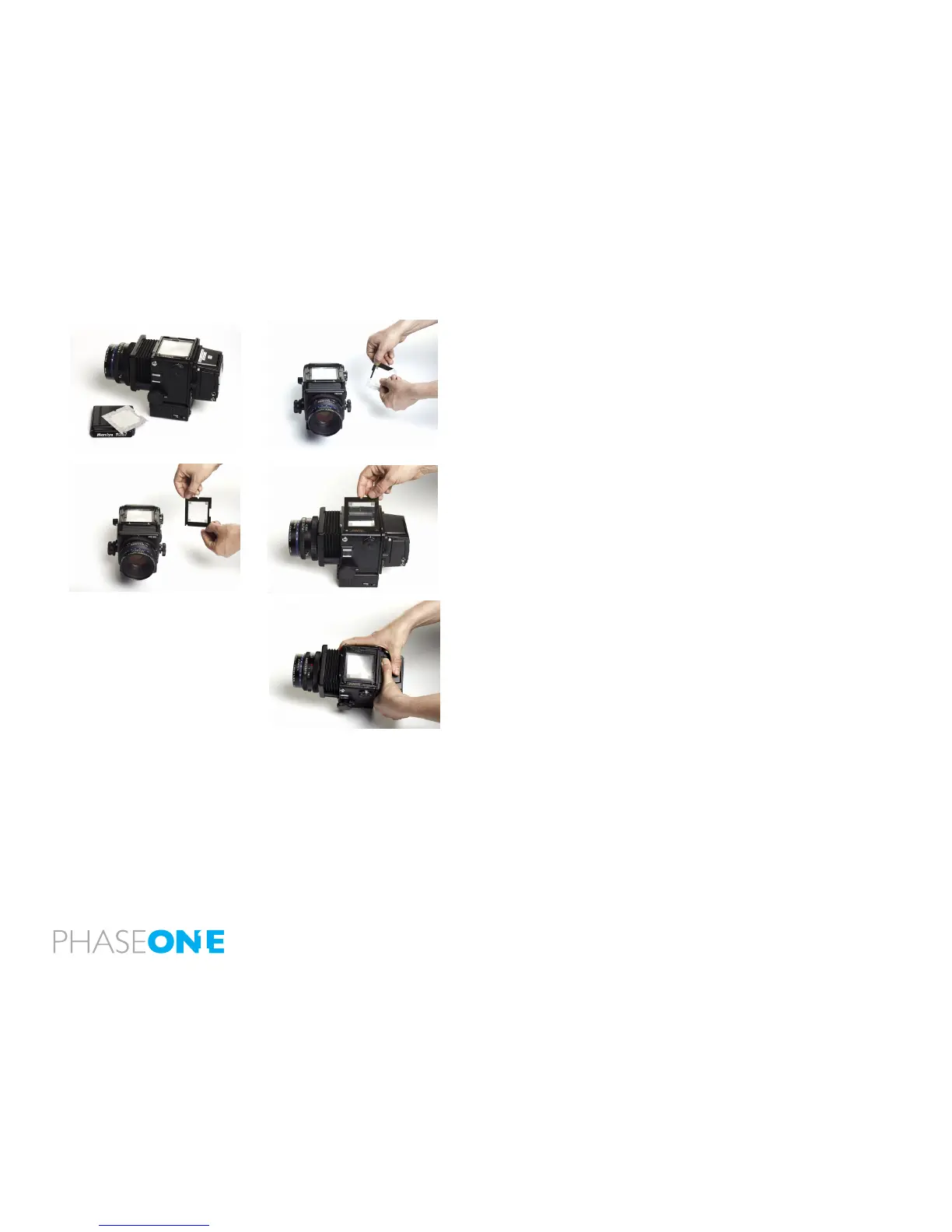
11.1 About Viewfinder masking
The actual image area of Mamiya RZ67 is 56x69.5 mm; as the size of the
CCD in P 65+ is 53.9x40.4 the CCD is smaller than the actual image size.
Dismount the viewnder, and let the mask lie on top of the focus screen,
then re-mount the viewnder again, and you have placed the mask.
Please read the relevant manual on the Mamiya RZ67 regarding
dismounting the view nder.
11.2 Mamiya RZ other details
As Mamiya RZ is fully manual, you should always set your P 65+ to
Zero Latency, this will keep the back ready for exposure at any time.
It is not possible to do double exposure, unless you have chosen the
Hasselblad V mount plate – if you have chosen the Hasselblad V mount
plate you must wait for the “ready-beep”.
image orientation detection
The CCD in the P 65+ is positioned in landscape orientation. Whenever
an image is captured in portrait position, when the back is rotated on
the camera, an internal sensor detects the new positionand the image
will appear as a correctly orientated images on the LCD display and in
the Capture One application
IR filter on the CCD
The IR lter (Infrared reduction lter) is permanently mounted on top of
the CCD.
• The lter may not be removed for several reasons:
• The focusing of the P+ back camera back will be damaged.
• It is only possible to remount the lter without dust in between the
lter and the CCD if you have access to special clean room facilities.
• The Phase One Product Warranty is terminated.



 To Next Page