18
13. [BRIGHTNESS] Button
Press to toggle Brightness Menu. Press the [+] or [-]
button to adjust the value. Press [MENU] button to
confirm and exit.
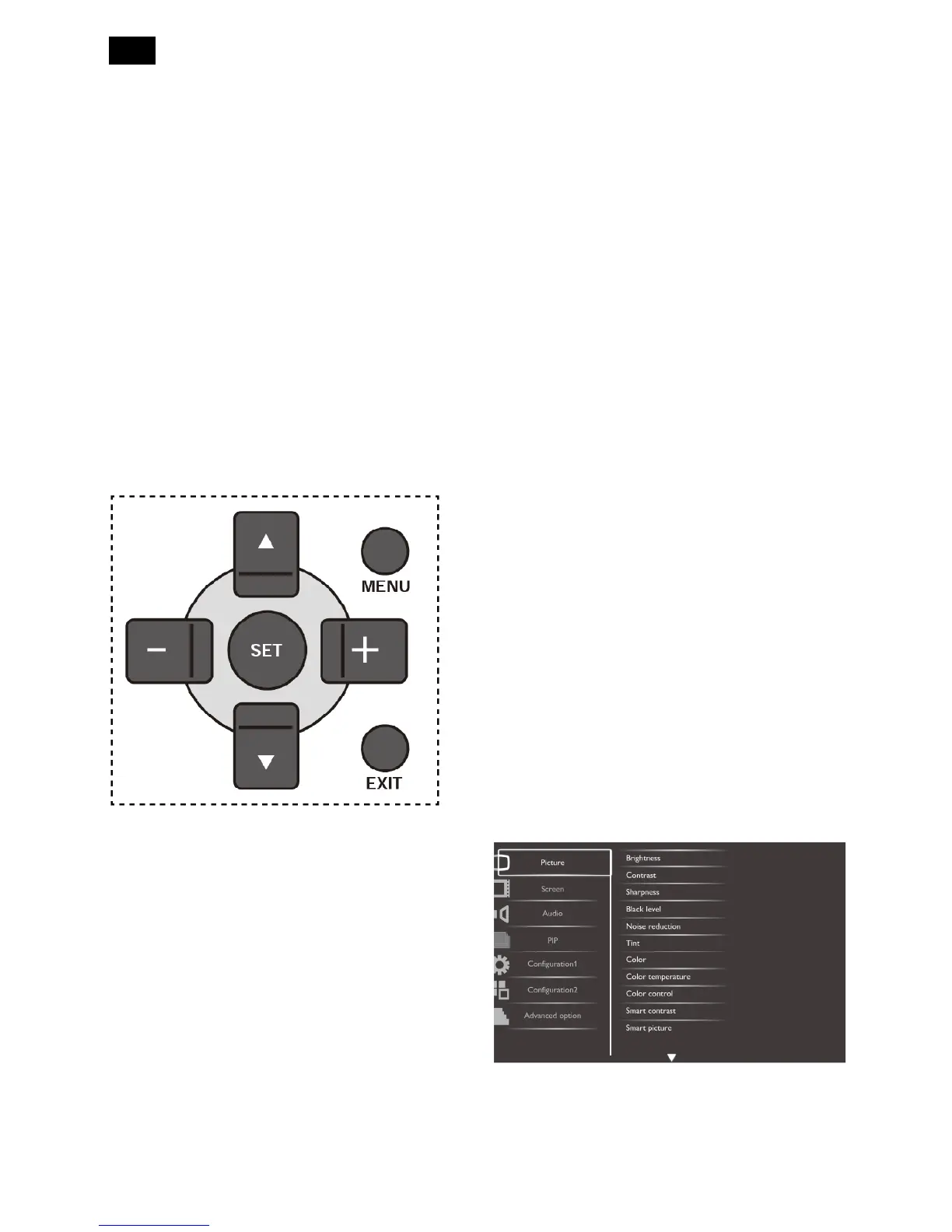
14. [▲] Button
• Press to move the selection up in OSD menu.
• Press to move the sub picture up in PIP mode.
15. [MENU] Button
Press to turn the OSD menu on/off
16. [+] Button
• Press to move the selection right in OSD menu.
• Press to increase the value in OSD menu.
• Press to move the sub picture right in PIP mode
17. [EXIT] Button
Press to turn back to the previous OSD menu.
18. [▼] Button
• Press to move the selection down in OSD menu.
• Press to move the sub picture down in PIP mode.
19. [VOL UP] Button
Press to increase the audio output level.
20. [VOL DOWN] Button
Press to decrease the audio output level
3.4 OSD Men
3.4.1 Navigating the OSD Menu
Using the remote control
1. Press [MENU] button on the remote control to
display the OSD menu.
2. Press [▲] or [▼] button to choose the item you
want to adjust.
3. Press [SET] or [+] button to enter the submenu.
4. In the submenu, press [▲] or [▼] button to toggle
among items, press [+] or [-] button to adjust
settings. If there is a submenu, press [SET] or [+]
button to enter the submenu.
5. Press [EXIT] button to return to the previous menu,
or press [MENU] button to exit the OSD menu
Using the display’s control button
1. Press [MENU] button to display the OSD menu.
2. Press [+] or [-] button to choose the item you want
to adjust.
3. Press [SOURCE] or [+] button to enter the
submenu.
4. In the submenu, press [▲] or [▼] button to toggle
among items, press [+] or [-] button to adjust
settings. If there is a submenu, press [SOURCE] or
[+] button to enter the submenu.
5. Press [MENU] button to return to the previous
menu, or press [MENU] button several time to exit
the OSD menu.
3.4.2 OSD Menu Overview
Picture Menu
Brightness
Adjust the overall image brightness by changing the
intensity of the LCD panel’s backlight.












 To Next Page