21
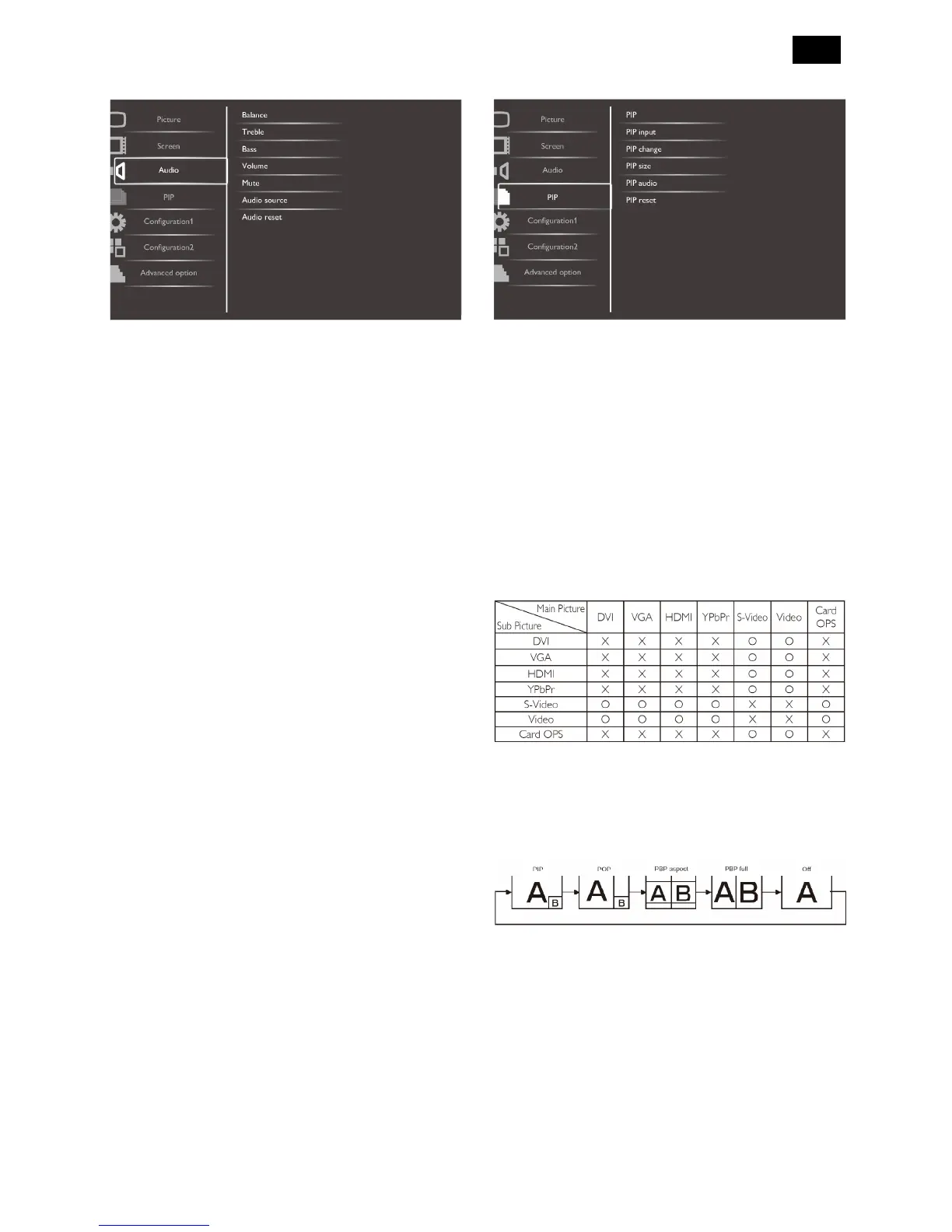
Audio Menu
Balance
Adjust to emphasize left or right audio output balance.
Treble
Adjust to increase or decrease higher-pitched sounds.
Bass
Adjust to increase or decrease lower-pitched sounds.
Volume
Adjust to increase or decrease the audio output level.
Mute
Turn the mute function on/off.
Audio source
Select the audio input source according to the audio
signal source connected to the audio input and HDMI
sockets on the display. The options are: {HDMI} /
{Audio1} / {Audio2} / {Audio3}.
Audio reset
Reset all settings in the Audio menu to factory preset
values.
PIP Menu
PIP
Select the PIP (Picture-in-Picture) mode.
The options are: {Off} / {PIP} / {POP} / {PBP aspect} /
{PBP full}.
PIP input
Select the input signal for the sub-picture.
PIP change
Enlarges the smaller picture to become the main
picture, and vice versa.
(O: PIP function available, X: PIP function unavailable)
By pressing the [PIP ON/OFF] button on the remote
control, you can change the mode in the order shown
below:
The resolutions in the PIP and POP modes are
configured as follows:
PIP SIZE {Small}: 320 x 240 pixels
{Medium}: 480 x 320 pixels
{Large}: 640 x 480 pixels
POP SIZE: 474 x 355 pixels
NOTE: The images displayed in the sub picture always
fit the PIP sizes shown above irrespective of the
aspect ratio of the input image.












 To Next Page