88
88
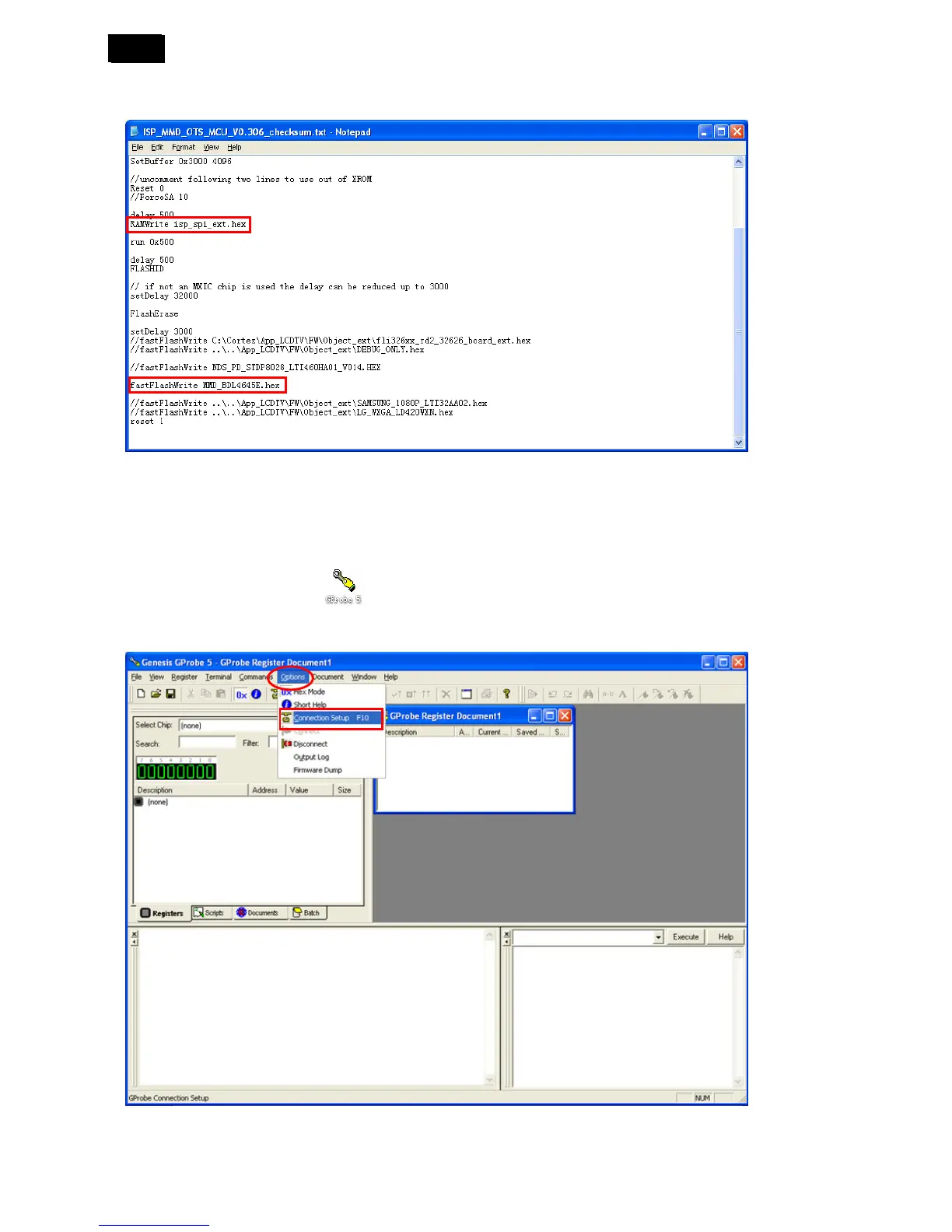
2) Open the “ISP_MMD-OTS_MCU_V0.306_checksum.txt”; modify the “isp_spi_ext.hex” and
“MMD_BDL4645E.hex” path to correct.
4. Install the ISP program “GProbe 5.8.0.1” to the PC
5. Firmware Upgrade Instruction
1) Double click the ISP software
2) Select “Options” → “Connection Setting”.












 To Next Page