96
96
12.2 MCU F/W upgrade
1. Tool and Cable
1) An i486 (or above) personal computer or compatible.
2) Microsoft operation system Windows 95/98/2000/XP.
3) USB Driver and ISP tool “MCU_ISP_SETUP_0.92.exe” program.
4) USB cablex1, VGA cablex1
5) ISP Board: 715GT183-A
6) Philips PD
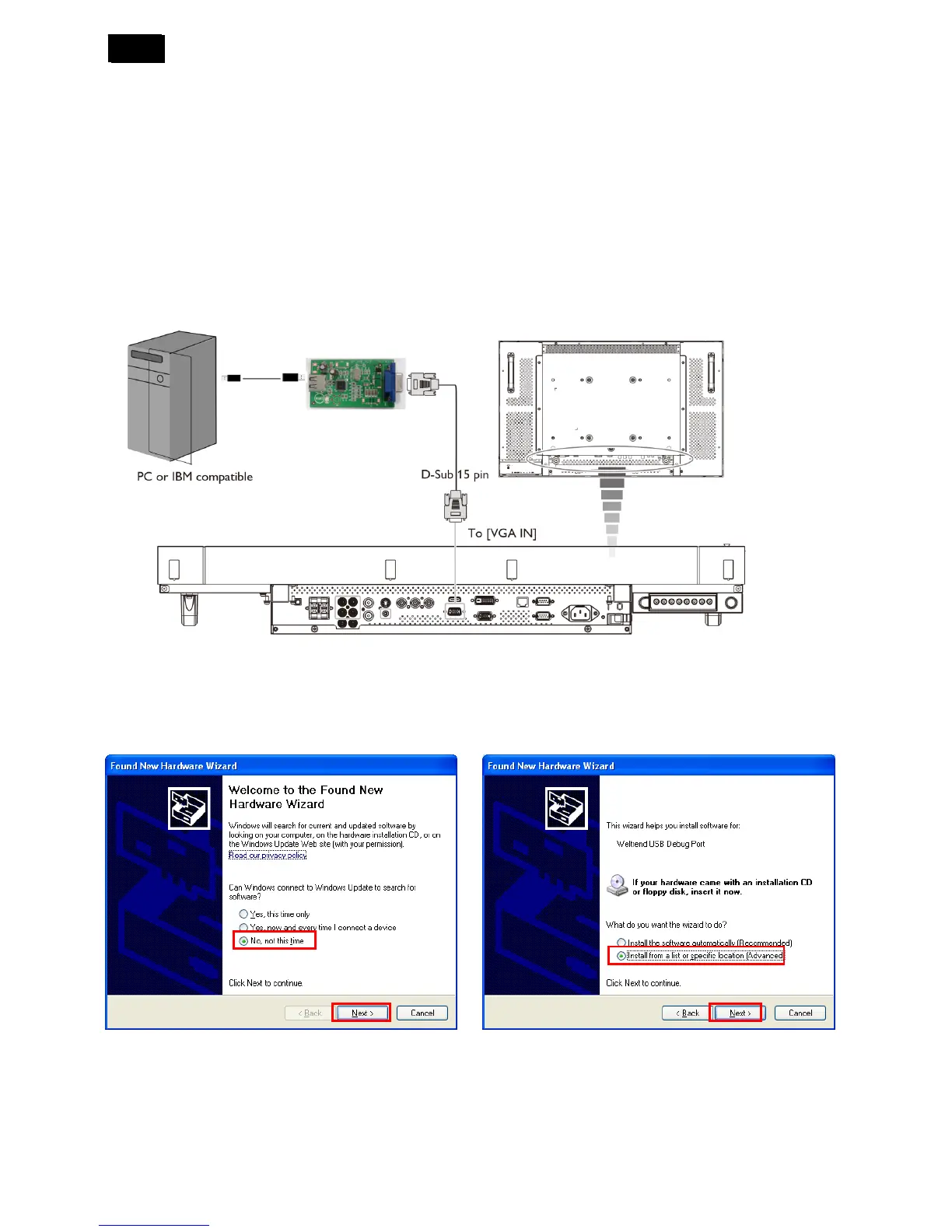
2. Connecting the monitor to the PC
3. Installation of USB board driver.
1) Connect the PC, tool and PD.
2) When the ISP tool connected to PC first time, it will pop up hardware installation wizard to instruct.
USB Cable
715GT183-A












 To Next Page