98
98
4. Installation of ISP tool.
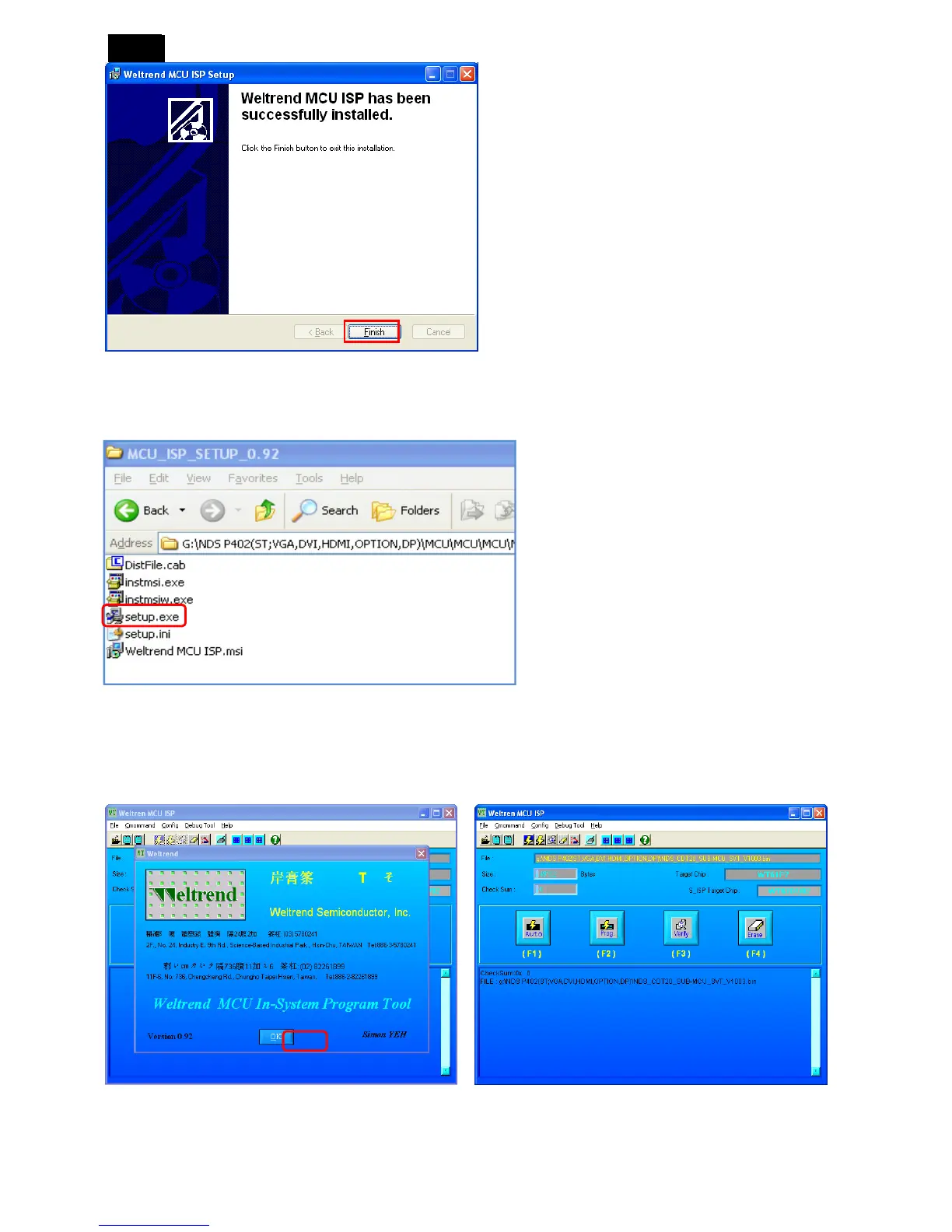
1) Open the “MCU_ISP_SETUP_0.92” folder, click “Setup.exe” file to install.
2) After the installation of ISP tool and USB driver, restart the PC.
5. MCU F/W upgrade steps.
1) Open the ISP tool and click “ok” as below figures.












 To Next Page