E9480UD_EN.qx3 04.7.22 8:26 PM Page 20
20 Quick Videotape Playback
Read and follow the steps below to play a videotape,
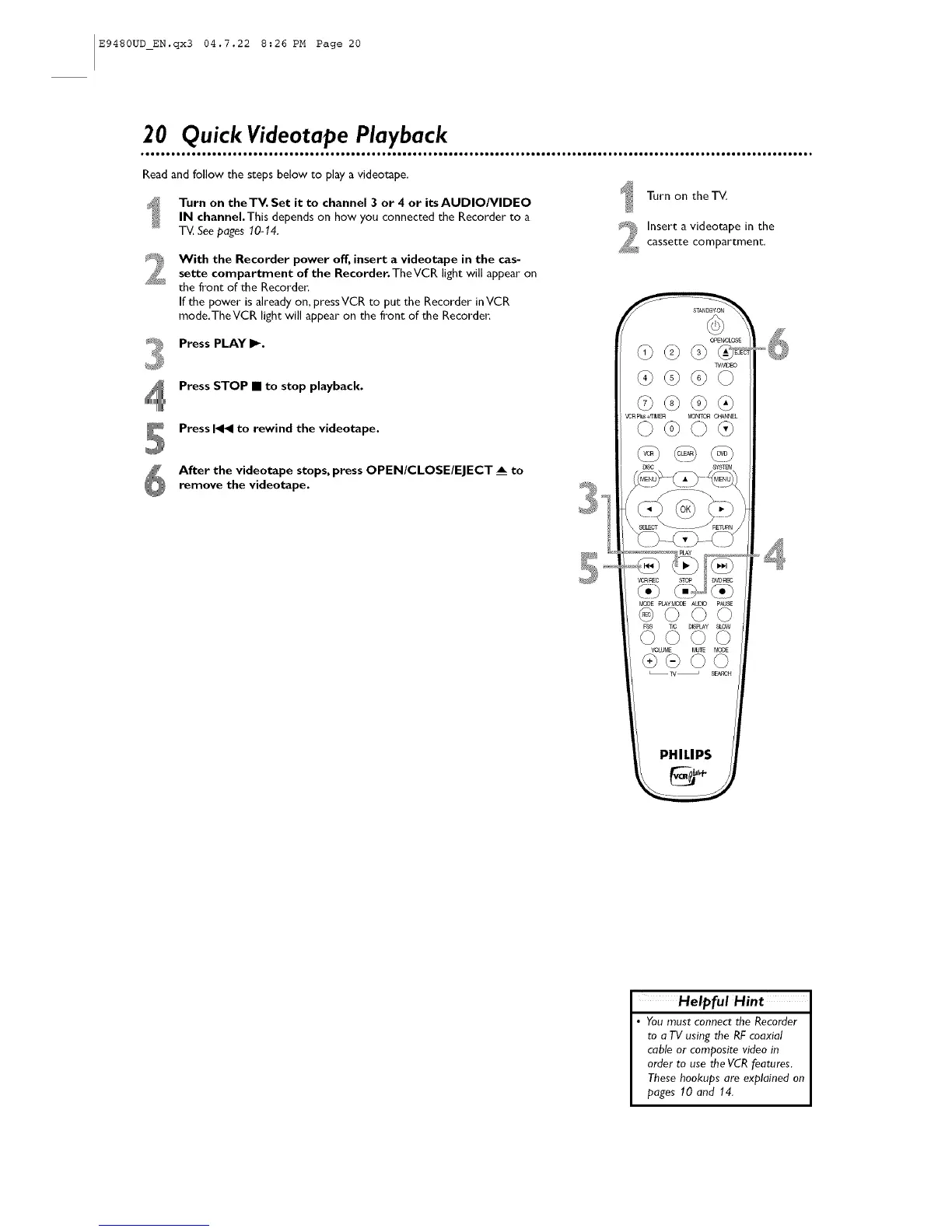
Turn on theTV. Set it to channel 3 or 4 or its AUDIO/VIDEO
IN channel.This depends on how you connected the Recorder to a
T_. Seepages 10-14.
With the Recorder power off, insert a videotape in the cas-
sette compartment of the Recorder.TheVCR light will appear on
the front of the Recorder:
If the power is already on, press VCR to put the Recorder inVCR
mode,TheVCR light will appear on the front of the Recorder:
Press PLAY If,,-.
Press STOP • to stop playback.
Press _ to rewind the videotape.
After the videotape stops, press OPEN/CLOSE/EJECT _ to
remove the videotape.
Turn on theT_
Inserta videotapeinthe
cassette compartment,
PHILIPS
Helpful Hint
• You must connect the Recorder
to a TV using the RFcoaxial
cable or composite video in
order to use the VCR features.
These hookups are explained on
pages 10 and 14.













 To Next Page