E9480UD_EN.qx3 04.7.22 8:26 PM Page 67 <_
Night Mode, Remote Control Used 67
Night Mode
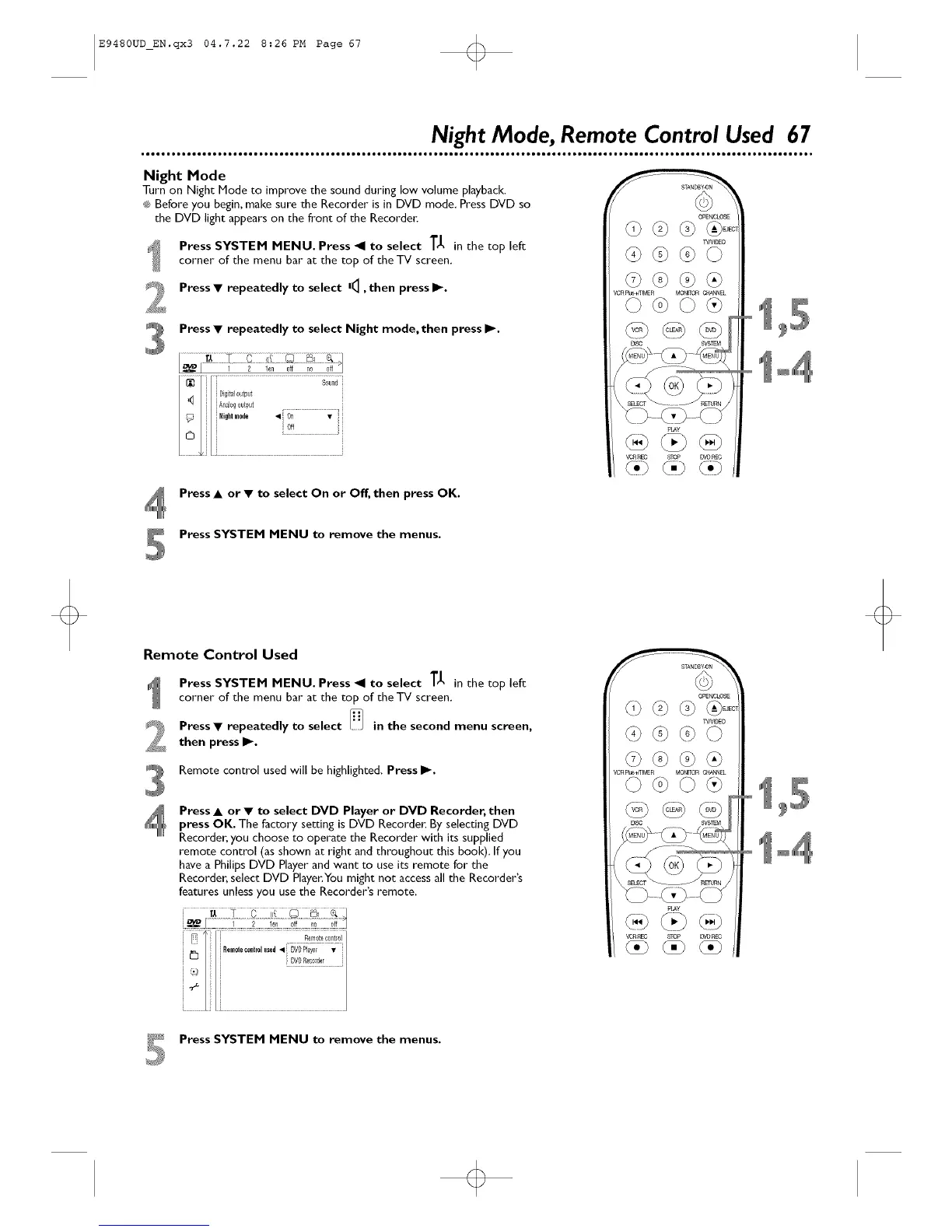
Turn on Night Mode to improve the sound during low volume playback.
®;Before you begin, make sure the Recorder is in DVD mode. Press DVD so
the DVD light appears on the front of the Recorder:
Press SYSTEM MENU. Press _1 to select T_1, in the top left
corner of the menu bar at the top of the TV screen.
Press • repeatedly to select |4, then press I_.
Press • repeatedly to select Night mode, then press I_.
OE_CtOSE
TVN_O
/CRFI_+ff_MER MONITORCP_NNEL
pLAy
vc'nn_ STOP _VOPEC
Press • or • to select On or Off, then press OK.
Press SYSTEM MENU to remove the menus.
Remote Control Used
Press SYSTEM MENU. Press _1 to select TJ, in the top left
corner of the menu bar at the top of the TV screen.
J_ Press • repeatedly to select [_/ in the second menu
screen,
_ then press I_.
Remote control used will be highlighted. Press I_.
Press • or • to select DVD Player or DVD Recorder, then
press OK. The factory setting is DVD Recorde_ By selecting DVD
Recorder, you choose to operate the Recorder with its supplied
remote control (as shown at right and throughout this book). If you
have a Philips DVD Player and want to use its remote for the
Recorder, select DVD Player.You might not access all the Recorder's
features unless you use the Recorder's remote.
OE_OtOSE
/¢n FI_+ffEMER MONITORCP_NN£L
pLAy
_L'_C STOP _I)_C
_* Press SYSTEM MENU to remove the menus.













 To Next Page