E9480UD_EN.qx3 04.7.22 8:26 PM Page 71 <)
One-Touch Recording (VCR) 71
One-Touch Recording (OTR) lets you set a timed recording 30 minutes to
eight hours long of the current TV channel, Before you begin:
_* Place the Recorder inVCR mode. PressVCR so theVCR light appears on
the front of the Recorder,
Select a recording speed (SR SLP) with the REC MODE button,
_* Put a videotape in the cassette compartment. Make sure the tape's
record tab is intact and the tape is long enough to record the
program(s),
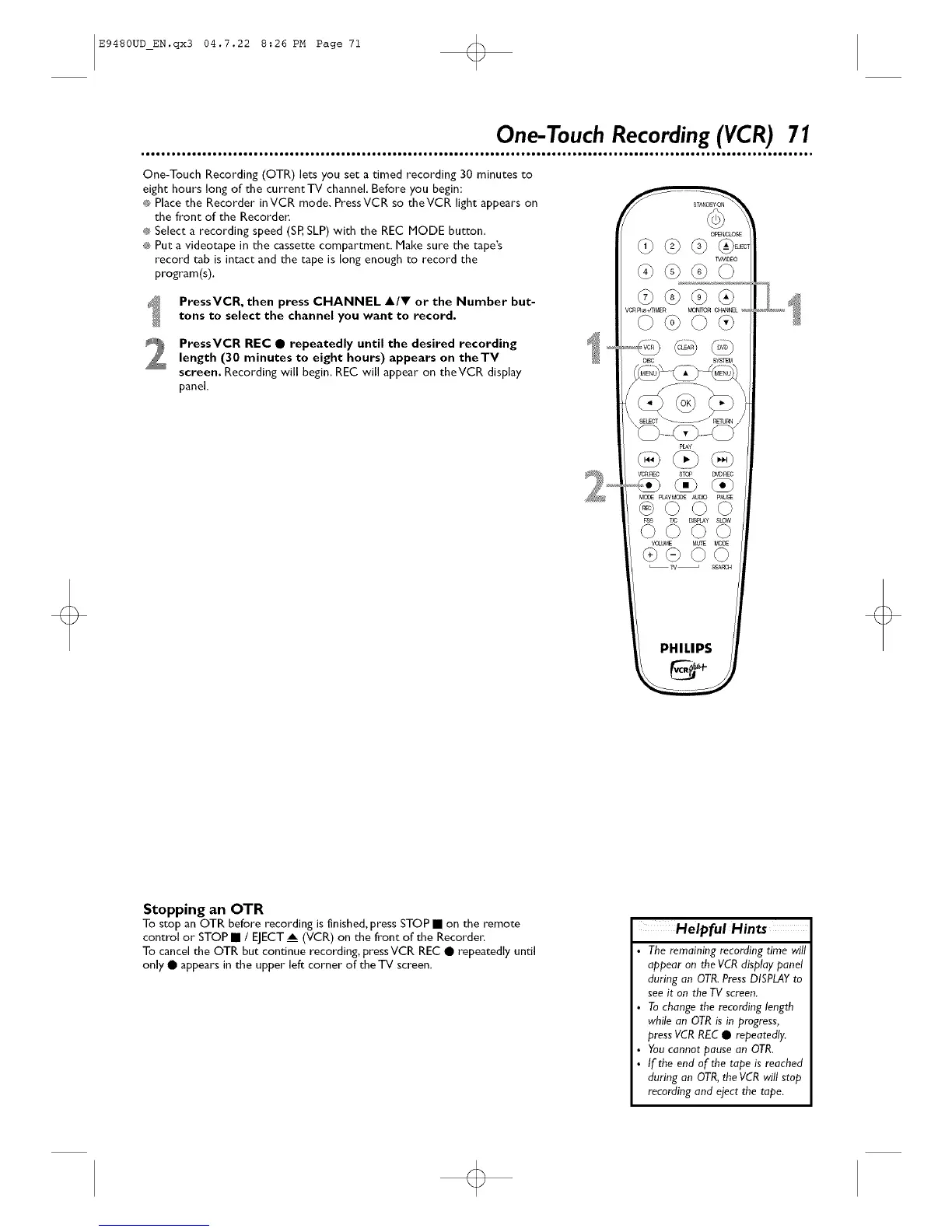
PressVCR, then press CHANNEL A/Y or the Number but-
tons to select the channel you want to record.
PressVCR REC • repeatedly until the desired recordinglength (30 minutes to eight hours) appears on theTV
screen. Recording will begin. REC will appear on theVCR display
panel.
Stopping an OTR
To stop an OTR before recording is finished, press STOP • on the remote
control or STOP • / EJECT_ (VCR) on the front of the Recorder,
To cancel the OTR but continue recording, pressVCR REC • repeatedly until
only • appears in the upper left corner of the _ screen.
Helpful Hints
The remaining recording time will
appear on the VCR display panel
during an OTR.PressDISPLAYto
see it on the TV screen.
Tochange the recording length
while an OTRis in progress,
pressVCRREC • repeatedly.
Youcannot pause an OTR.
If the end of the tape is reached
during an OTR,the VCR will stop
recording and eject the tape.
o













 To Next Page