E9480UD_EN.qx3 04.7.22 8:26 PM Page 45 <)
Timer Recording(DVD mode 0nly) 45
@Before you begin, make sure the Recorder is in DVD mode, Press DVD so the
DVD light appears on the front of the Recorder,
Press VCR Plus+/TIMER
Press • or • to selectTimer Programming, then press I_.
Timer
• VCR Plu_sy_tem
_4_TimerRogramming
• TimerList
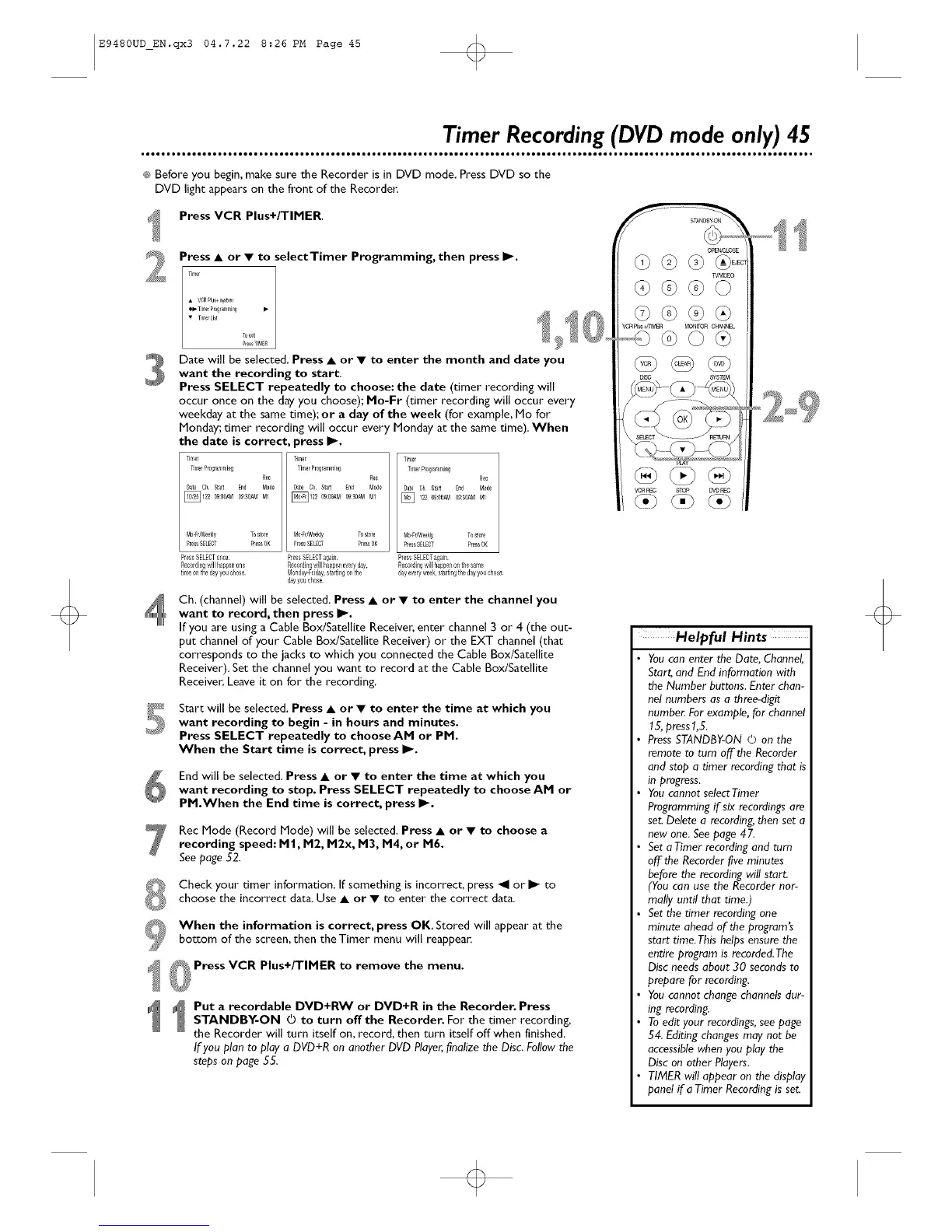
Date will be selected, Press • or • to enter the month and date you
want the recording to start.
Press SELECT repeatedly to choose: the date (timer recording will
occur once on the day you choose); No-Fr (timer recording will occur every
weekday at the same dme);or a day of the week (for example, Me for
Monday; timer recording will occur every Monday at the same time). When
the date is correct, press I_.
Tg/el Tiner
TirlerR0grar/r/i_g TitTerPf0grar/ming
Rec _ Rec
Date Oh £ta_ End Mode Date Oh Sta_ Ind Mode
_122 Ig:OO_l 0930AM MI 122 09:OOAMOg3O_l MI
Mo-Fr/_eekly Tostore | Mo-Fr_Weekly Tostore
PressSELECT PressOK L PlessSELECT PlessOK
Pres&SELECTonce PressSELECTagain
Recordingwill happenone Recordingw/I Rappeneve/yday,
tinle onthe dayyou chose M0nday-Fdday,&taRing0nthe
dayyouchose
Timer
TimerR0glammiag
Rec
Date Oh Stal End Mode
] 122 Og:0O_ Og:_0_MMI
M01rhVeekly To_0rl
PressSELECT PressOK
PIessSELECTagaln
Recordingwillhappenon tle same
dayeveryweek,_aiRngthe dayyouchose¸
Ch, (channel) will be selected. Press • or • to enter the channel you
want to record, then press I_.
If you are using a Cable BoxlSatellite Receive_,enter channel 3 or 4 (the out-
put channel of your Cable BoxlSatellite Receiver) or the EXT channel (that
corresponds to the jacks to which you connected the Cable Box/Satellite
Receiver). Set the channel you want to record at the Cable Box/Satellite
Receiver, Leave it on for the recording,
_'_ Start will be selected, Press • or • to enter the time at which you
want recording to begin - in hours and minutes.
Press SELECT repeatedly to choose AN or PM.
When the Start time is correct, press I_.
End will be selected, Press • or • to enter the time at which you
want recording to stop. Press SELECT repeatedly to choose AM or
PM.When the End time is correct, press I_.
Rec Mode (Record Mode) will be selected. Press • or • to choose a
recording speed: I"11,1"12, M2x, 1"13, 1"14, or M6.
See page 52.
Check your timer information. If something is incorrect, press "ql or _ to
choose the incorrect data, Use • or • to enter the correct data.
When the information is correct, press OK. Stored will appear at the
bottom of the screen, then the Timer menu will reappea_
t _ Press VCR Plus+/TIMER to remove the menu.
Put a recordable DVD+RW or DVD+R in the Recorder. Press
STANDBY-ON © to turn offthe Recorder. For the timer recording,
the Recorder will turn itself on, record, then turn itself off when finished.
If you plan to play a DVD+R on another DVD Player,finalize the Disc. Follow the
steps on page 55.
opErcc_OSE
TVAqD£O
VCRR_C _ DVOREC
Helpful Hints
Youcan enter the Date, Channel,
Start, and End information with
the Number buttons. Enter chan-
nel numbers as a three-digit
numbe_ For example, for channel
15, press1,5.
PressSTANDBY-ON 0 on the
remote to tam off the Recorder
and stop a timer recording that is
in progress.
Youcannot selectTimer
Programming if six recordings are
set. Delete a recording,then set a
new one. See page 47.
Set aTimer recording and tam
off the Recorder five minutes
before the recording will start.
(You can use the Recorder nor-
mally until that time,)
Set the timer recording one
minute ahead of the program's
start time.This helps ensure the
entire program is recorded.The
Disc needs about 30 seconds to
prepare for recording.
Youcannot change channels dur-
ing recording.
Toedit your recordings,see page
54. Editing changes may not be
accessible when you play the
Disc on other Players.
TIMER will appear on the display
panel if aTimer Recordingis set.













 To Next Page