E9480UD_EN.qx3 04.7.22 8:26 PM Page 76 <_
76 Special Effects Playback (Videotape)
_ Before you begin, pressVCR so theVCR light appears on the front of the
Recorder,
Forward and Reverse Searching (SP/LP/SLP)
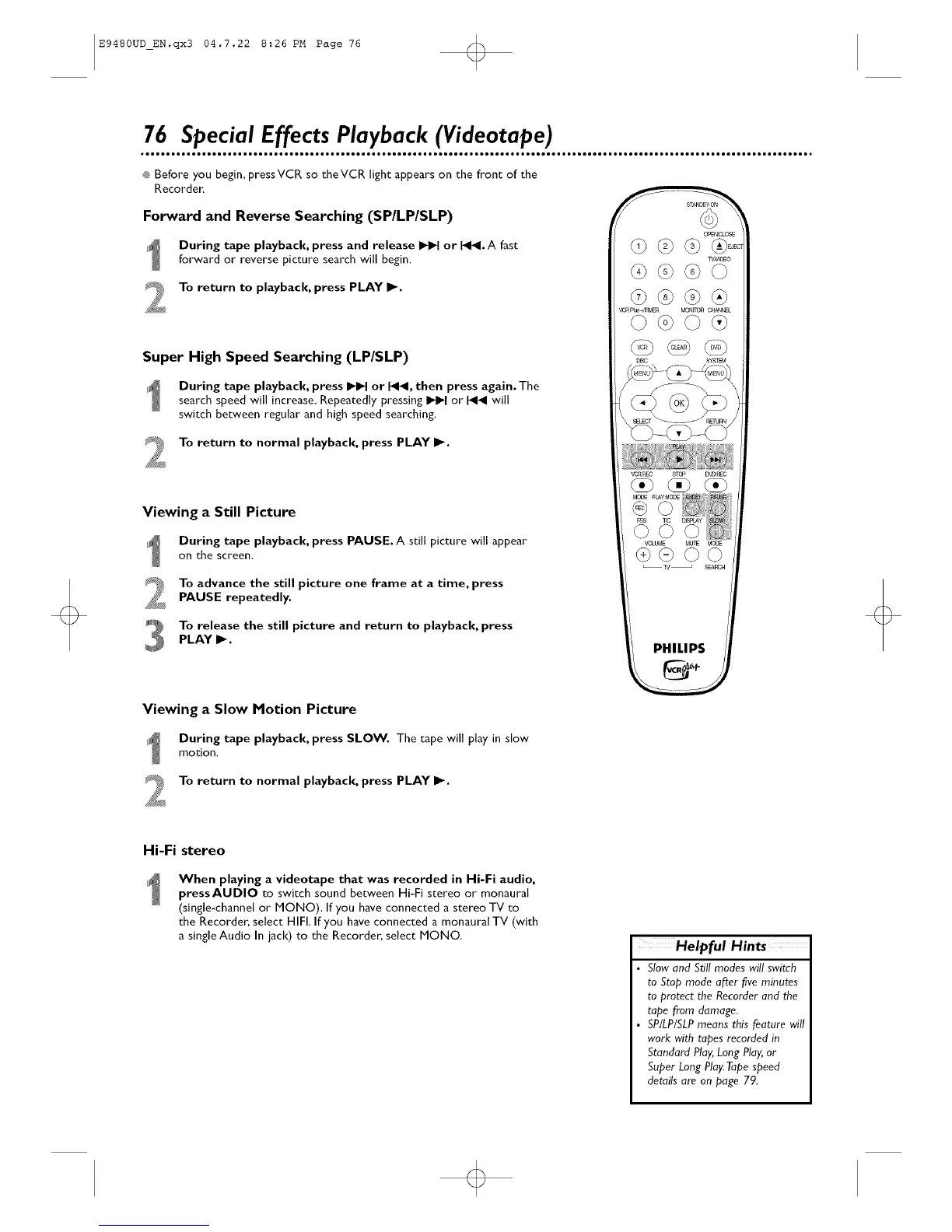
During tape playback, press and release _ or I_1_1.A fast
forward or reverse picture search will begin.
To return to playback, press PLAY I1_.
Super High Speed Searching (LP/SLP)
During tape playback, press _ or _1_1, then press again. The
search speed will increase. Repeatedly pressing I_ or _ will
switch between regular and high speed searching.
To return to normal playback, press PLAY I_.
Viewing a Still Picture
During tape playback, press PAUSE. A still picture will appear
on thescreen.
To advance the still picture one frame at a time, press
PAUSE repeatedly.
_E_O_
_H_O
_ _+mM£R MON_ C_L
Toreleasethestillpictureandreturntoplayback, press
PLAY _.
PHILIPS
Viewing a Slow Motion Picture
During tape playback, press SLOW. The tape will play in slow
motion,
To return to normal playback, press PLAY I_.
Hi-Fi stereo
When playing a videotape that was recorded in Hi-Fi audio,
press AUDIO to switch sound between Hi-Fi stereo or monaural
(single-channel or MONO), If you have connected a stereo TV to
the Recorder, select HIFI. If you have connected a monaural TV (with
a single Audio In jack) to the Recorder, select MONO.
HelpfulHints
• Slow and Still modes will switch
to Stop mode aiter five minutes
to protect the Recorder and the
tope from damage.
• SP/LP/SLPmeans this feature will
work with tapes recorded in
Standard Play,Long Play,or
Super Long Play.Tapespeed
details are on page 79.













 To Next Page