E9480UD_EN.qx3 04.7.22 8:26 PM Page 70 <)
70 Record One Channel/Watch Another (VCR)
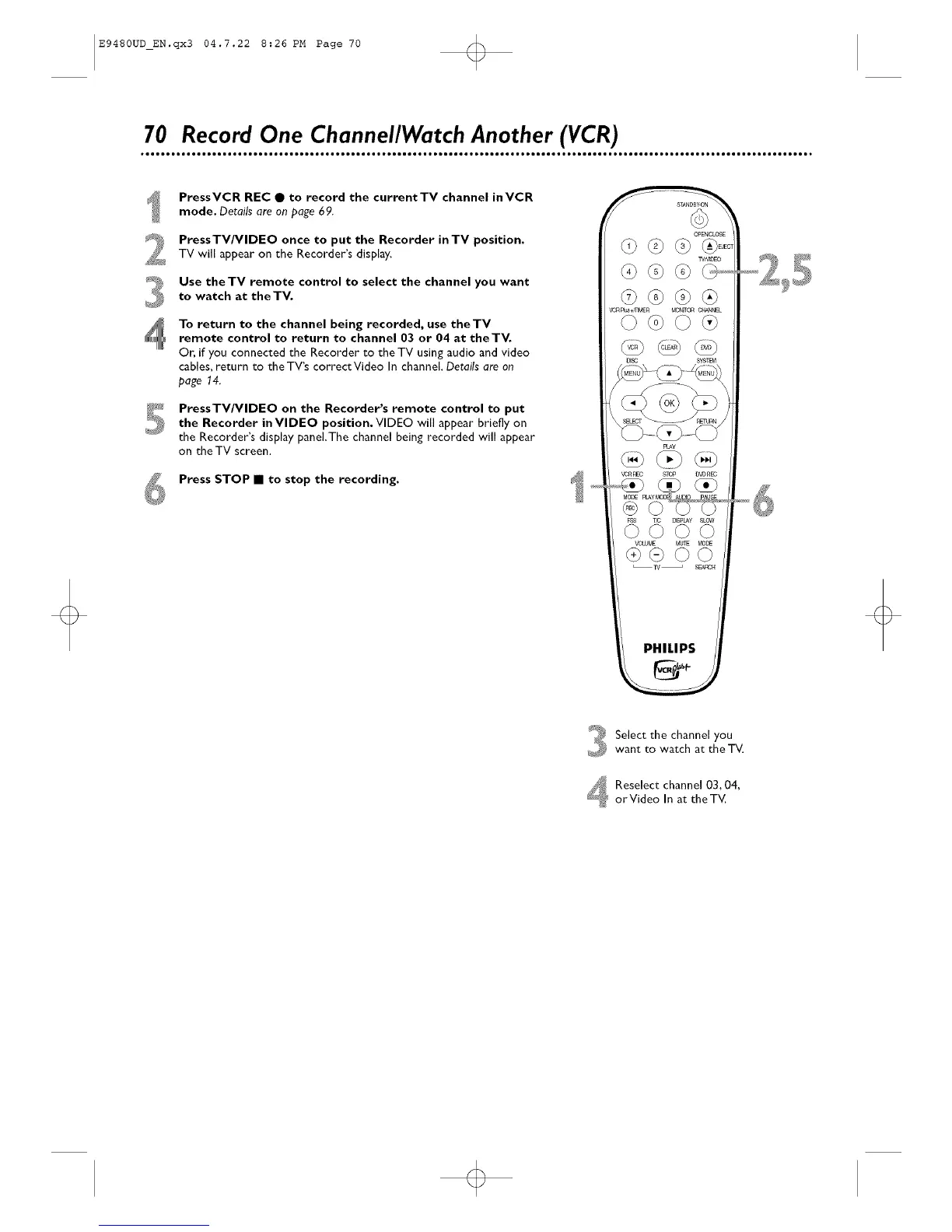
PressVCR REC • to record the currentTV channel inVCR
mode. Details are on page 69.
PressTV/VlDEO once to put the Recorder inTV position.TV will appear on the Recorder's display.
Use theTV remote control to select the channel you want
to watch at theTV.
To return to the channel being recorded, use theTV
remote control to return to channel 03 or 04 at theTV.
Or, if you connected the Recorder to the TV using audio and video
cables, return to the TV's correctVideo In channel. Details are on
page 14.
PressTV/VlDEO on the Recorder's remote control to put
the Recorder inVlDEO position, VIDEO will appear briefly on
the Recorder's display paneLThe channel being recorded will appear
on the TV screen.
Press STOP • to stop the recording.
PHILIPS
Select the channel you
want to watch at the T_
Reselect channel 03, 04,
orVideo In at the TV.













 To Next Page