E9480UD_EN.qx3 04.7.22 8:26 PM Page 37 <)
Audio Language, Subtitles 37
Audio Language
Some DVDs are recorded in different languages. For example, you may be
able to watch the same movie in French, Spanish, etc,The movie may have
special audio features, such as a director's commentary or music sound-
track. If these are available on the DVD, access the different languages or
featured soundtracks by following these steps.
_ Before you begin, make sure the Recorder is in DVD mode. Press DVD so
the DVD light appears on the front of the Recorder:
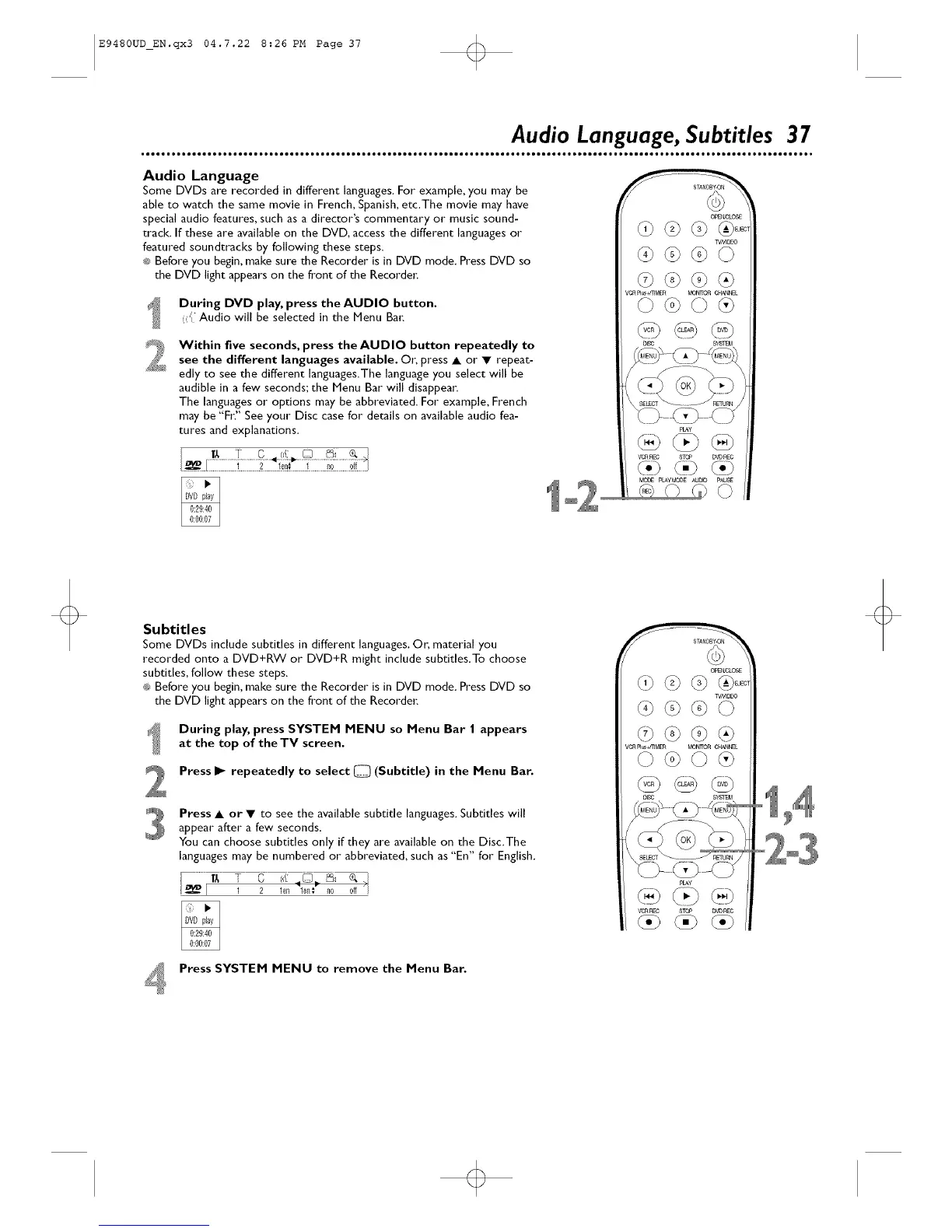
During DVD play, press the AUDIO button.
({ Audio will be selected in the Menu Bar;
Within five seconds, press the AUDIO button repeatedly to
see the different languages available. Or; press • or • repeat-
edly to see the different languages.The language you select will be
audible in a few seconds; the Menu Bar will disappear,
The languages or options may be abbreviated. For example, French
may be "Fr? See your Disc case for details on available audio fea-
tures and explanations.
_E_O_
?¢N_O
@@@@
VCR P]_ _l_R _N_ C_L
©@©@
@@@
vc£ nEc STO# D'_)REO
{ii) <} (i}
MO_: pLAYMODE_JDD pAUSE
o
Subtitles
Some DVDs include subtitles in different languages. Or, material you
recorded onto a DVD+RW or DVD+R might include subtitles.To choose
subtitles, follow these steps,
®3Before you begin, make sure the Recorder is in DVD mode. Press DVD so
the DVD light appears on the front of the Recorder:
During play, press SYSTEM MENU so Menu Bar I appears
at the top of the TV screen,
Press I_ repeatedly to select C_ (Subtitle) in the Menu Bar.
Press • or • to see the available subtitle languages. Subtitles will
appear after" a few seconds.
You can choose subtitles only if they are available on the Disc.The
languages may be numbered or abbreviated, such as "En" for" English.
O_EN_,;LOS£
?¢NB_O
@@@Q
@@@@
VCR F]_44]MER MONITOR C[{ANNEL
©@©@
<::)@
VCRREC STOP D'_DP_O
°'1 4
°2°3
Press SYSTEM MENU to remove the Menu Bar.













 To Next Page