E9480UD_EN.qx3 04.7.22 8:26 PM Page 36 <)
36 Title/Disc Menus, Chapter/Track Selection
Title/Disc Menus
®_Before you begin, make sure the Recorder is in DVD mode. Press DVD so
the DVD light appears on the front of the Recorder;
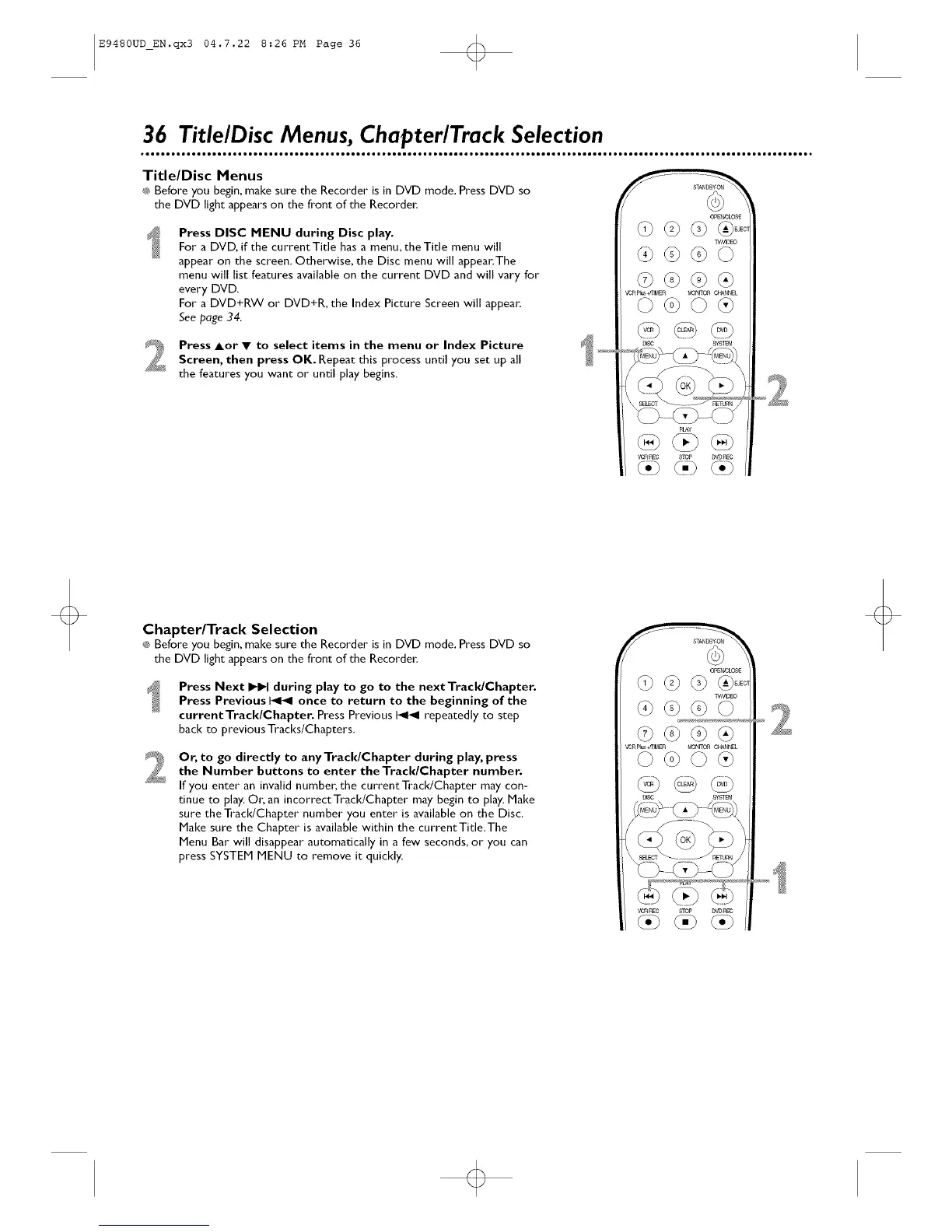
Press DISC MENU during Disc play.
For a DVD, if the current Title has a menu, the Title menu will
appear on the screen. Otherwise, the Disc menu will appear.The
menu will list features available on the current DVD and will vary for
every DVD.
For a DVD+RW or DVD+R, the Index Picture Screen will appear.
See page 34.
Press Aor • to select items in the menu or Index Picture
Screen, then press OK. Repeat this process until you set up all
the features you want or until play begins.
OPE_0LOS£
W_EO
_ _+mM£n MON_ORC_L
pLAy
_t,n _c STOP DVDt_[C
Chapter/Track Selection
®_Before you begin, make sure the Recorder is in DVD mode. Press DVD so
the DVD light appears on the front of the Recorder;
Press Next _ during play to go to the nextTracldChapter.
Press Previous I_1_1 once to return to the beginning of the
currentTrack/Chapter. Press Previous I_1_1 repeatedly to step
back to previous Tracks/Chapters.
Or, to go directly to any TracldChapter during play, press
the Number buttons to enter the Track/Chapter number.
If you enter" an invalid number, the current TracldChapter may con-
tinue to play, Or; an incorrect TracldChapter may begin to play. Make
sure the Track/Chapter number" you enter is available on the Disc.
Make sure the Chapter is available within the current Title.The
Menu Bar"will disappear automatically in a few seconds, or you can
press SYSTEM MENU to remove it quickly.
OPE_0LO_
W_EO
_ _+mM£n MON_O_ C_N_EL
vc_c 8_P D_R_













 To Next Page