E9480UD_EN.qx3 04.7.22 8:26 PM Page 41 <)
Time Search,Scan 41
Time Search
Time Search lets you choose a specific elapsed playing time at which you
want to begin playback.
_ Before you begin, make sure the Recorder is in DVD mode. Press DVD so
the DVD light appears on the fl'ont of the Recorder.
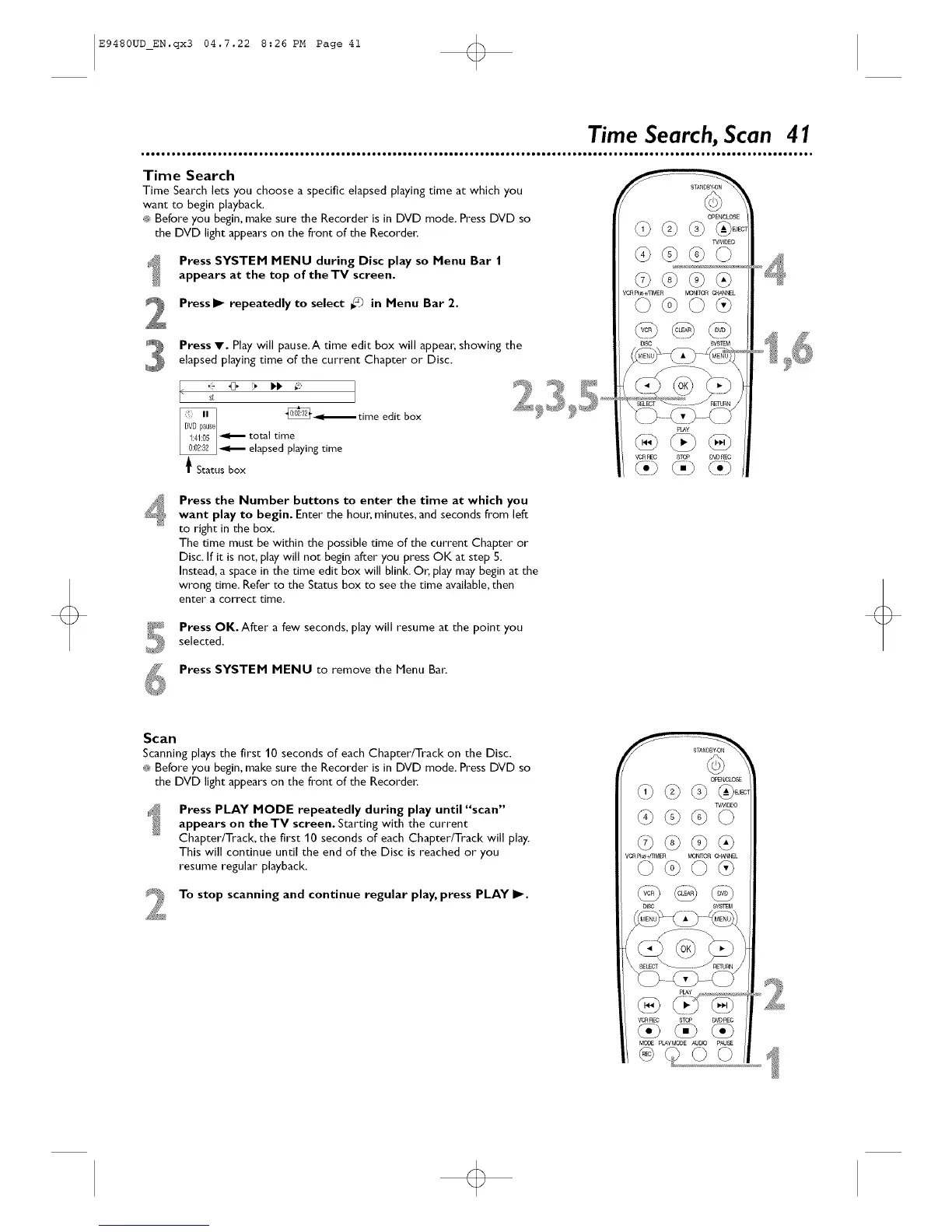
Press SYSTEM MENU during Disc play so Menu Bar |
appears at the top of theTV screen.
Press I_ repeatedly to select _ in Menu Bar 2.
Press V. Play will pause.A time edit box will appean showing theelapsed playing time of the current Chapter or Disc.
, _[3, _ I_i_ ,_:
st
_ total tin_ '_
elapsed playing time
_ Status box
time edit box
OPEn, LOSE
VCRpI_mM£R _N_TOR C_N_L
VC'RREC 8TC_ DVD_O
<ii)(,) (i)
Press the Number buttons to enter the time at which you
want play to begin. Enter the houn minutes, and secondsfrom left
to right in the box.
The time must be within the possible time of the current Chapter or
Disc. If it isnot, play will not begin after you press OK at step 5.
Instead, a space in the time edit box will blink. Or, play may begin at the
wrong time. Refer to the Status box to see the time available, then
enter a correct time.
Press OK. After a few seconds, play will resume at the point you
selected.
Press SYSTEM MENU to remove the Menu Ban
Scan
Scanningplays the first 10 seconds of each Chapter/Track on the Disc.
_ Before you begin, make sure the Recorder is in DVD mode. PressDVD so
the DVD light appears on the fl'ont of the Recorder.
Press PLAY MODE repeatedly during play until "scan"
appears on the TV screen. Starting with the current
Chapter/Track, the first 10 seconds of each Chapter/Track will play.
This will continue until the end of the Disc is reached or you
resume regular playback.
To stop scanning and continue regular play, press PLAY I_.
OPEI_CLOS£
WNE_O
<0 <9)<')
VORphs441MER MONfrORClieNtaL
© <o)© <,)
VCRREC STOP DVDP_C
@ <3,) ¢.)
MCO_ pLAyMODE AbDD PAUS_













 To Next Page