E9480UD_EN.qx3 04.7.22 8:26 PM Page 61 <_
AccessControl (cont'd) 61
Change Country
If a Disc has Parental Level coding, the codings are applicable only for the
country specified on the Disc.The Disc manufacturer sets these codings.
For example, a Disc may be coded at Level 3 for the United States.
So,for some Discs, you may need to choose the Country for which the
Disc is coded in order for the Disc to play at the Parental Level you select.
See page 60. Also refer to your Disc case for more information.
_ Before you begin, make sure the Recorder is in DVD mode. Press DVD so
the DVD light appears on the front of the Recorder:
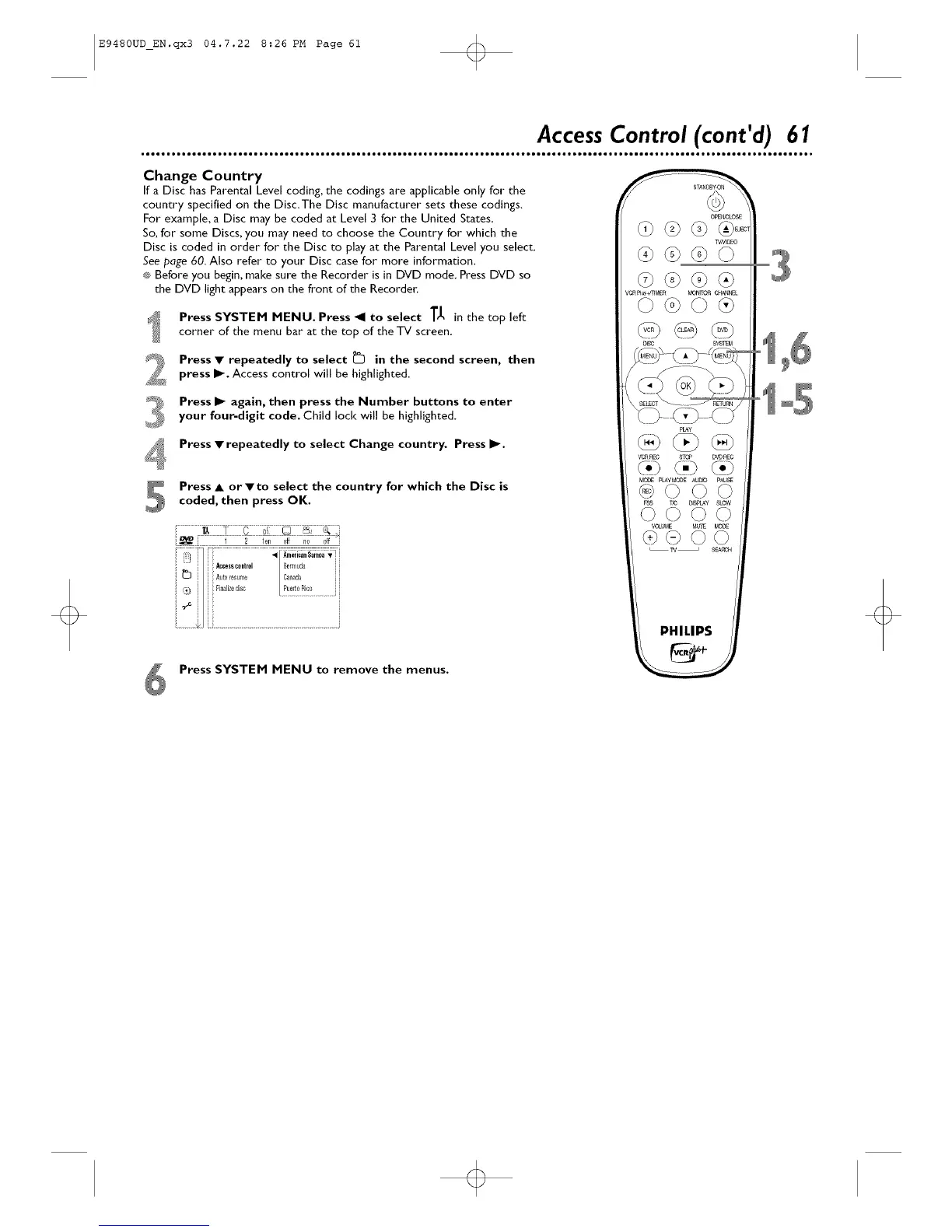
Press SYSTEM MENU. Press _1 to select T_ in the top left
corner of the menu bar at the top of the TV screen.
Press • repeatedly to select _ in the second screen, then
press I1_.Access control will be highlighted.
Press I_ again, then press the Number buttons to enter
your four-digit code. Child lock will be highlighted.
Press • repeatedly to select Change country. Press I_.
Press • or •to select the country for which the Disc iscoded, then press OK.
Press SYSTEM MENU to remove the menus.
PHILIPS













 To Next Page