E9480UD_EN.qx3 04.7.22 8:26 PM Page 60 <)
60 AccessControl (cont'd)
Parental Level
Follow the steps below to set the Parental Level at which you want Discs to
play.
_ Before you begin, make sure the Recorder is in DVD mode. Press DVD so
the DVD light appears on the front of the Recorder:
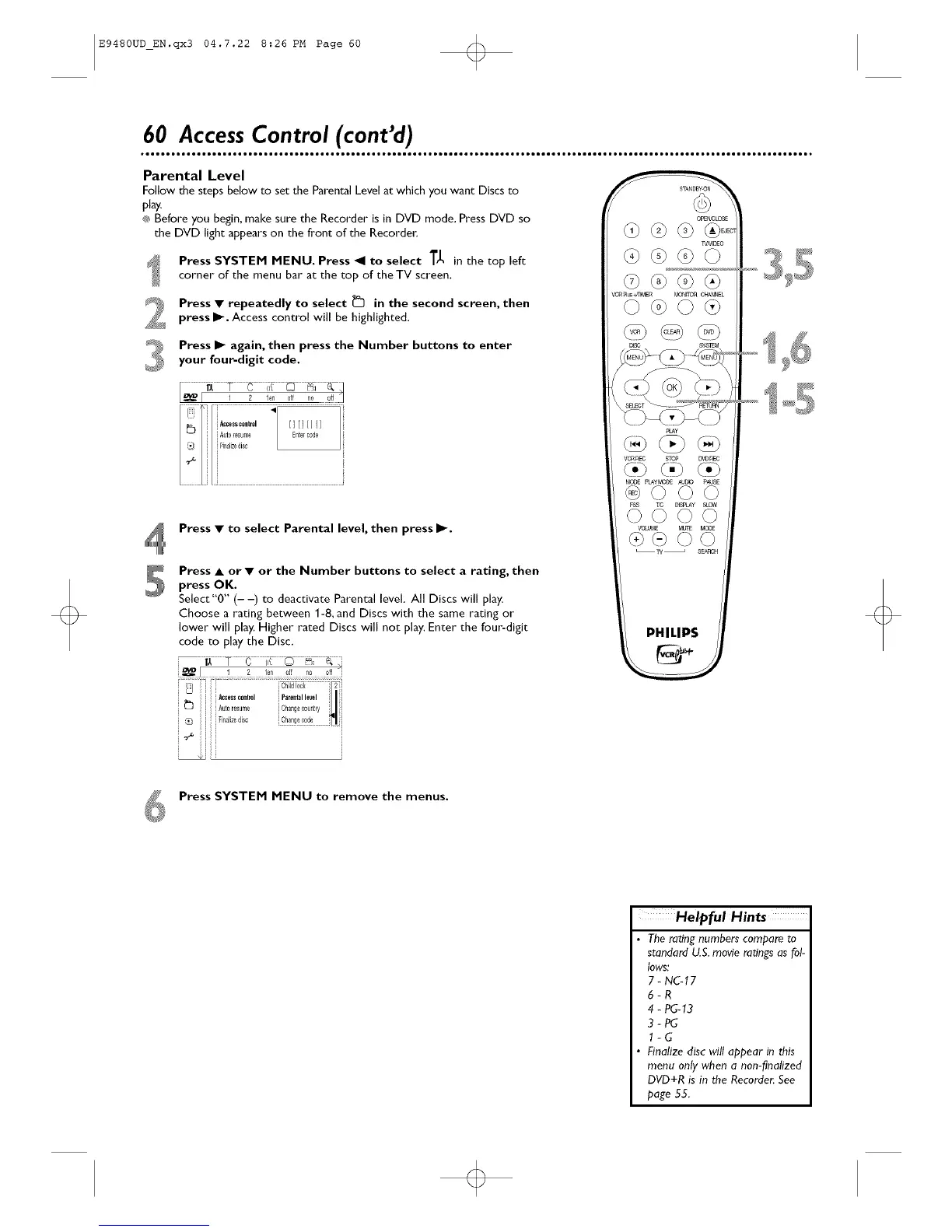
Press SYSTEM MENU. Press _1 to select T_ in the top left
corner of the menu bar at the top of the TV screen.
Press • repeatedly to select _ in the second screen, then
press I_. Access control will be highlighted.
Press I1_ again, then press the Number buttons to enter
your four-digit code.
.....i i__.........................................Au_0.......,0su,,,0"°'_i i_...............................................
i [Fin_,iz0di,c
Press • to select Parental level, then press I_.
Press • or • or the Number buttons to select a rating, then
press OK.
Select "0" (- -) to deactivate Parental level. All Discs will play.
Choose a rating between 1-8, and Discs with the same rating or
lower will play. Higher rated Discs will not play. Enter the four-digit
code to play the Disc.
[ ! _ !en Off no off "[
PHILIPS
Press SYSTEM MENU to remove the menus.
Helpful Hints
• The rating numbers compare to
standard U.S.movie ratings as fol-
lows:
7 - NG17
6-R
4 - PC-13
3-PC
l-G
• Finalize disc will appear in this
menu only when a non-finalized
DVD+R is in the Recorder. See
page 55.













 To Next Page