EasyManua.ls Logo

Philips pm3232 - Voltage Quintupler; Replacing a Switch of the Trigg Push-Button Unit

Philips pm3232
84 pages
Print Icon
To Next Page IconTo Next Page
To Previous Page IconTo Previous Page
Loading...
96
3.3.14.
VOLTAGE
QUINTUPLER
Remove the
rear cover (three
screws X,
Fig.
2.1.)
Remove
the E.H.T.
plug of
the
c.r.t.
and discharge
the connector and
c.r.t. immediately
by
shortening
them to
earth.
-
Unsolder
the
E.H.T. lead
at
point
P
on
the
supply
unit
(Fig. 3.10.)
Unsolder
the earth
wire of the quintupler
-
Slightly
squeeze the
quintupler flanges
Inside the cable
compartment together and pull the quintupler
out
3.3.15.
REPLACING
A
SWITCH OF
THE
TRIGG
PUSH-BUTTON
UNIT
Remove
the
time-base unit In accordance with section
3.3.8.
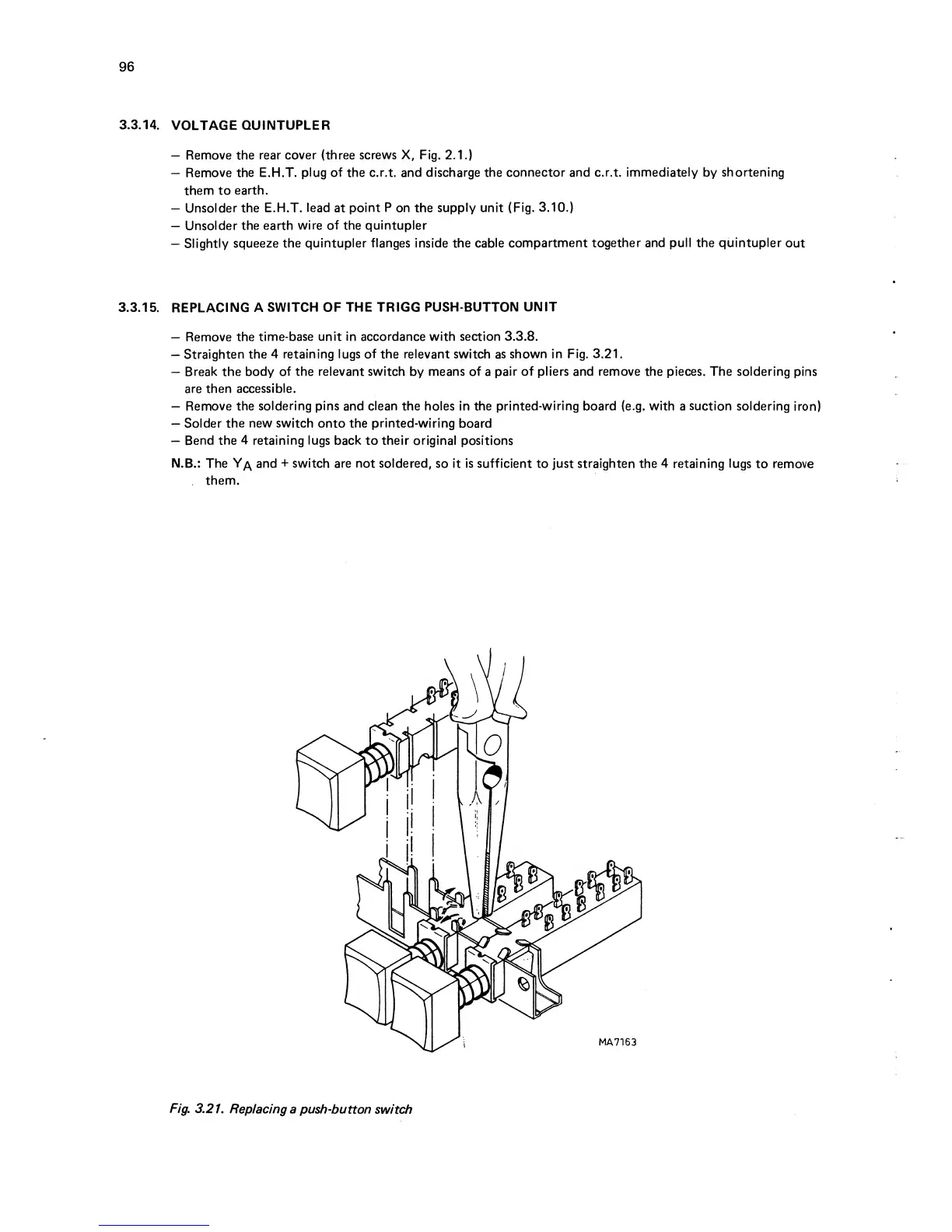
Straighten
the
4 retaining lugs of the relevant switch
as
shown
in Fig. 3.21.
Break the body
of the relevant switch
by
means of
a
pair
of
pliers and
remove
the pieces. The soldering
pins
are then
accessible.
Remove
the soldering pins
and
clean
the holes In the
printed-wiring board
(e.g.
with
a
suction soldering
Iron)
Solder
the new switch onto
the
printed-wiring
board
Bend
the
4
retaining lugs
back to
their
original positions
N.B.: The and
+
switch
are
not
soldered, so it Is sufficient
to
just
straighten the
4
retaining lugs
to remove
them.
Fig.
3.21.
Replacing
a push-button
switch

Table of Contents

Related product manuals