ILC 131 STARTERKIT
28
PHOENIX CONTACT 105724_en_01
4.6.3 Performing a cold restart
In order to activate the project, it is necessary to perform a cold restart.
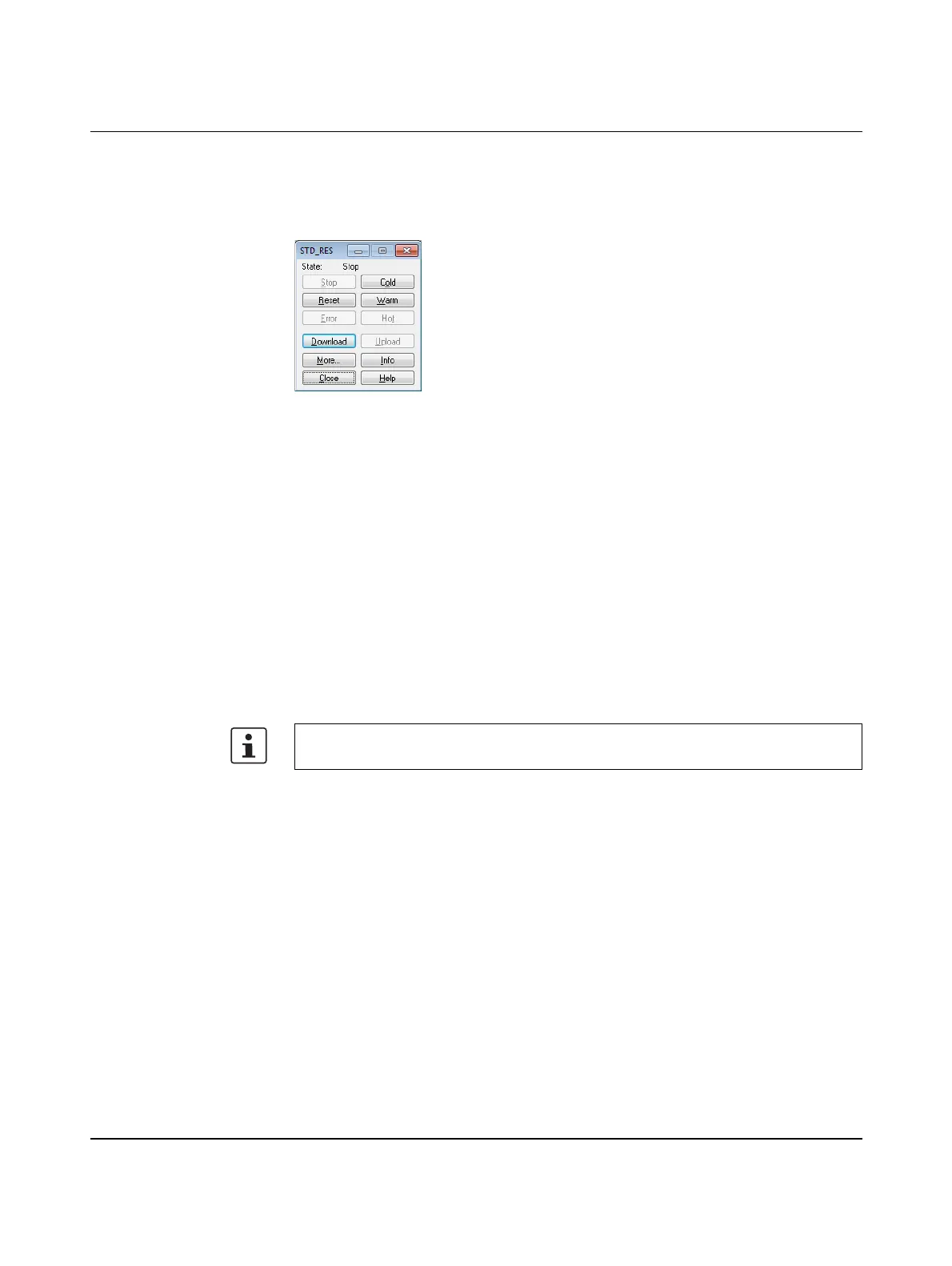
• To do this, click on “Cold” in the Project Control Dialog.
Figure 4-10 Project Control Dialog
The ILC 131 ETH has been started up successfully if the green FR LED is on.
4.6.4 Compiling (additional information)
There are two options for compiling:
1 “Build, Make” or
2 “Build, Rebuild Project”
Rebuilding the project Use this command to compile an entire project for the first time or after modifying a user
library.
“Rebuild Project” compiles and links all worksheets. Errors and warnings that are
discovered by the compiler are logged in the “Message window”. After the syntax has been
checked successfully, the system automatically generates the IEC code and the special
PLC code. Finally, the project can be sent to the controller.
Make The “Make” command is the standard mode for compiling. Use this command after editing
and completing your project.
When the “Make” menu item is executed, all modified worksheets are compiled/linked and
the modified PLC code is generated.
This command can be executed from the menu bar via “Build, Make”, with the “Make” icon
in the toolbar or using the shortcut F9.
Modified worksheets in the project tree are identified by an asterisk that appears after the
worksheet name.
Both After the compiler has been started, the “Message window” appears automatically if it was
closed before. This window shows the steps the compiler is currently performing. In
addition, errors, warnings, and additional information about the process are logged here.
Once the compiling process has been completed successfully (i.e., no errors have been
reported), the modified project can be sent to the controller.
The “Rebuild Project” command should only be used if errors occurred when compiling
with “Make” or your project was unpacked without frontend.



 To Next Page