Step-by-step development of an example project
105724_en_01 PHOENIX CONTACT 35
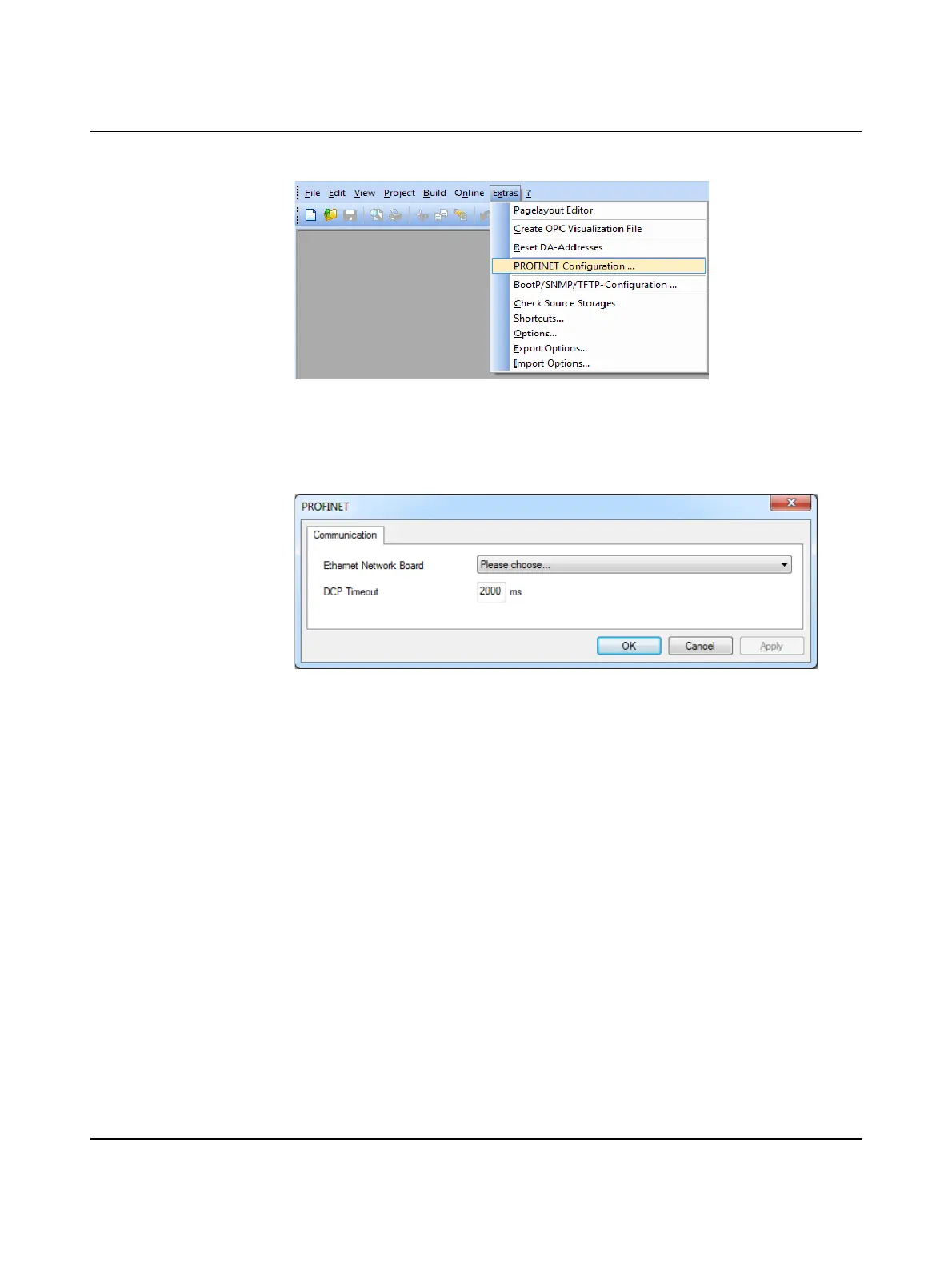
• In the “Extras” menu, select the “PROFINET Configuration ...” command.
Figure 5-5 Select “PROFINET Configuration ...”
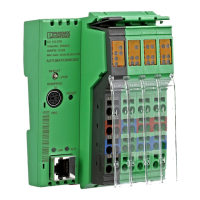
The “PROFINET” window is opened.
• Select the desired Ethernet network card.
• Keep the DCP timeout setting at 2000 ms.
Figure 5-6 “PROFINET” window
• Confirm your entry with “OK”.



 To Next Page