ILC 131 STARTERKIT
32
PHOENIX CONTACT 105724_en_01
5.1.3 Adapting the project information
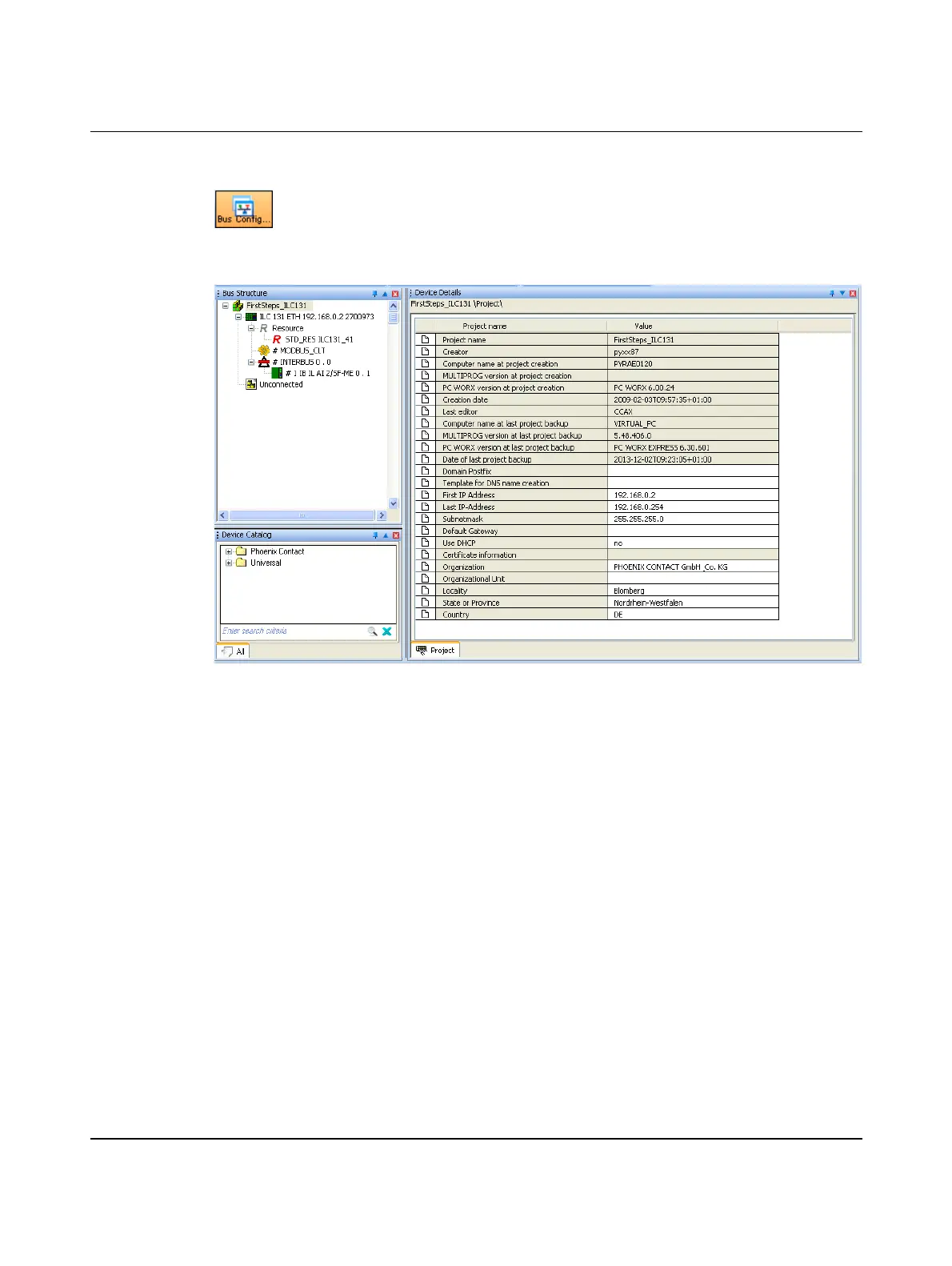
• Switch to the Bus Configuration workspace.
After creating a new project, the project information is displayed in the Bus Configuration
workspace.
• Adapt the project information to your project.
Figure 5-4 Project information after creating a new project
First and last IP address,
subnet mask
During project creation, PC WORX EXPRESS automatically assigns an IP address area for
a local network (area from 192.168.0.2 to 192.168.0.254). If you would like to use another
address area (e.g., a global network), adapt the start and end address on the project node
(here: FirstSteps_ILC131) to your application.
If the IP parameters are modified in the project settings, the IP addresses of the controller
may have to be modified manually (see “Assigning the IP address for the controller” on
page 34).



 To Next Page