Step-by-step development of an example project
105724_en_01 PHOENIX CONTACT 65
5.4 Operation and debug mode – viewing values
online
While the program is running on the controller, it is possible to activate debug mode in
PC WORX EXPRESS. In debug mode, the operation of the program can be monitored
online.
• Activate debug mode.
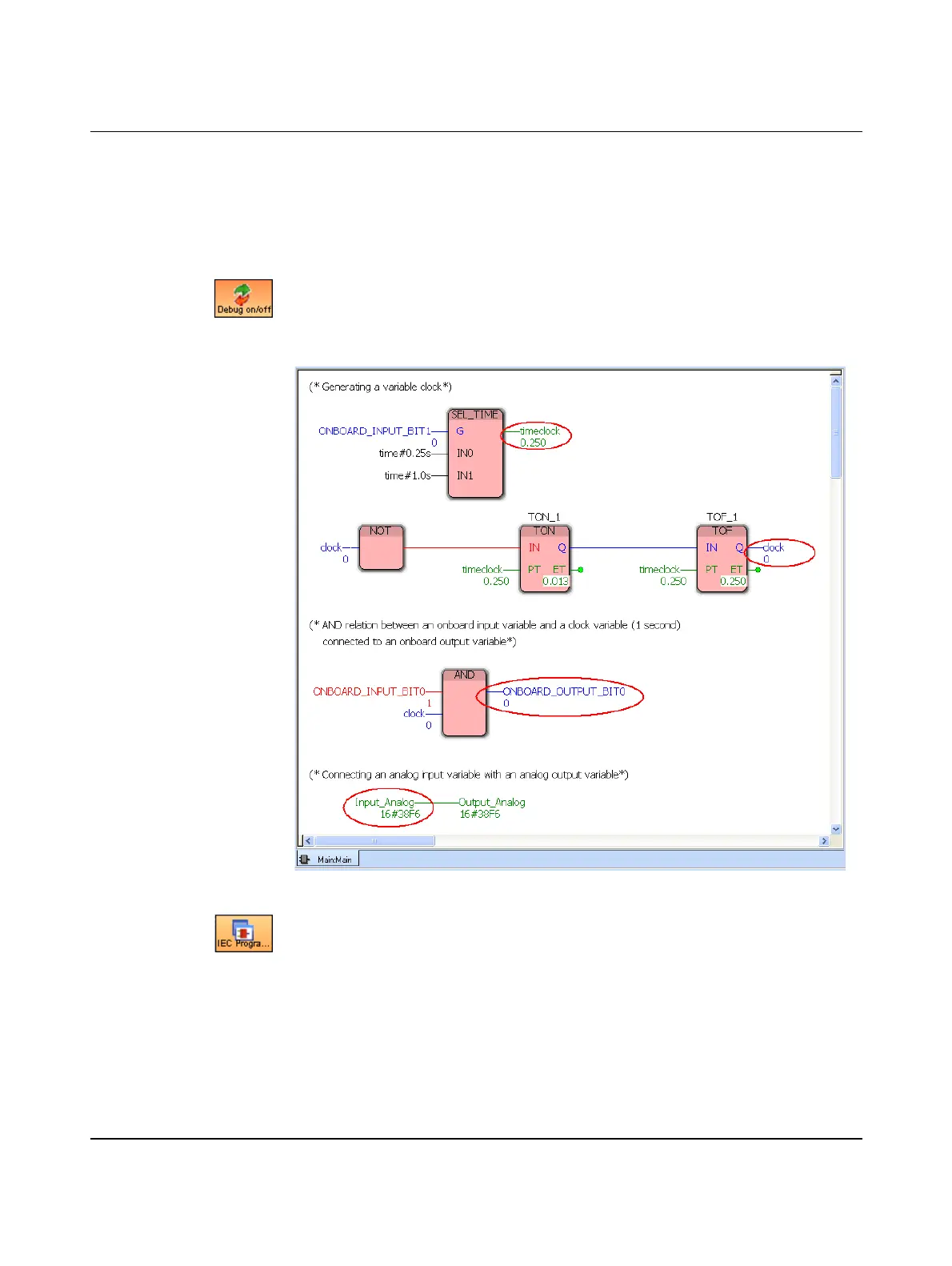
The program status of the POU “Main” is displayed in the “Main:Main” worksheet (see
Figure 5-47). Switches 0 and 1 of the switch module and/or the potentiometer can be
activated in order to modify the states of the variables displayed in Figure 5-47:
Figure 5-47 Variables in debug mode: program variables
• Switch to the IEC Programming workspace.
• Open “Hardware Structure” by clicking on the “Hardware” tab in the project tree
window.
• To display the global variables, double-click on “Global_Variables”.



 To Next Page