Step-by-step development of an example project
105724_en_01 PHOENIX CONTACT 53
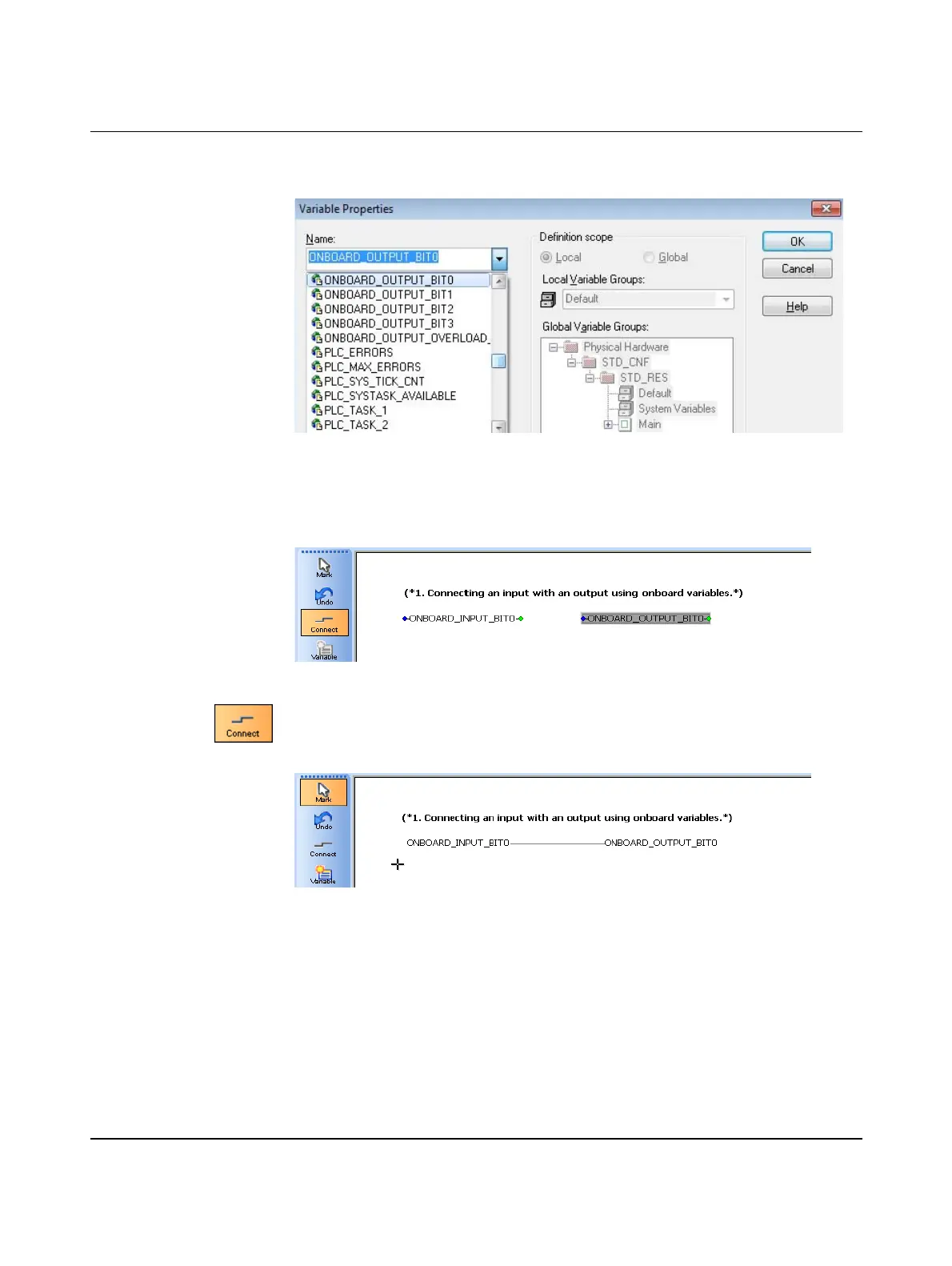
• In the “Variable Properties” dialog box, select the “ONBOARD_OUTPUT_BIT0”
onboard variable (controller output Q1).
Figure 5-30 Selecting the onboard variable: Output
– The data type is “BOOL”.
– The usage is “VAR_GLOBAL”.
• Confirm your entries by clicking on “OK”.
Figure 5-31 System variable created: Output
• Click on “Connect” to establish a connection between the variables created above.
• Click first on the output for the ONBOARD_INPUT_BIT0 variable and then on the input
for the ONBOARD_OUTPUT_BIT0 variable.
Figure 5-32 Connecting variables



 To Next Page