ILC 131 STARTERKIT
44
PHOENIX CONTACT 105724_en_01
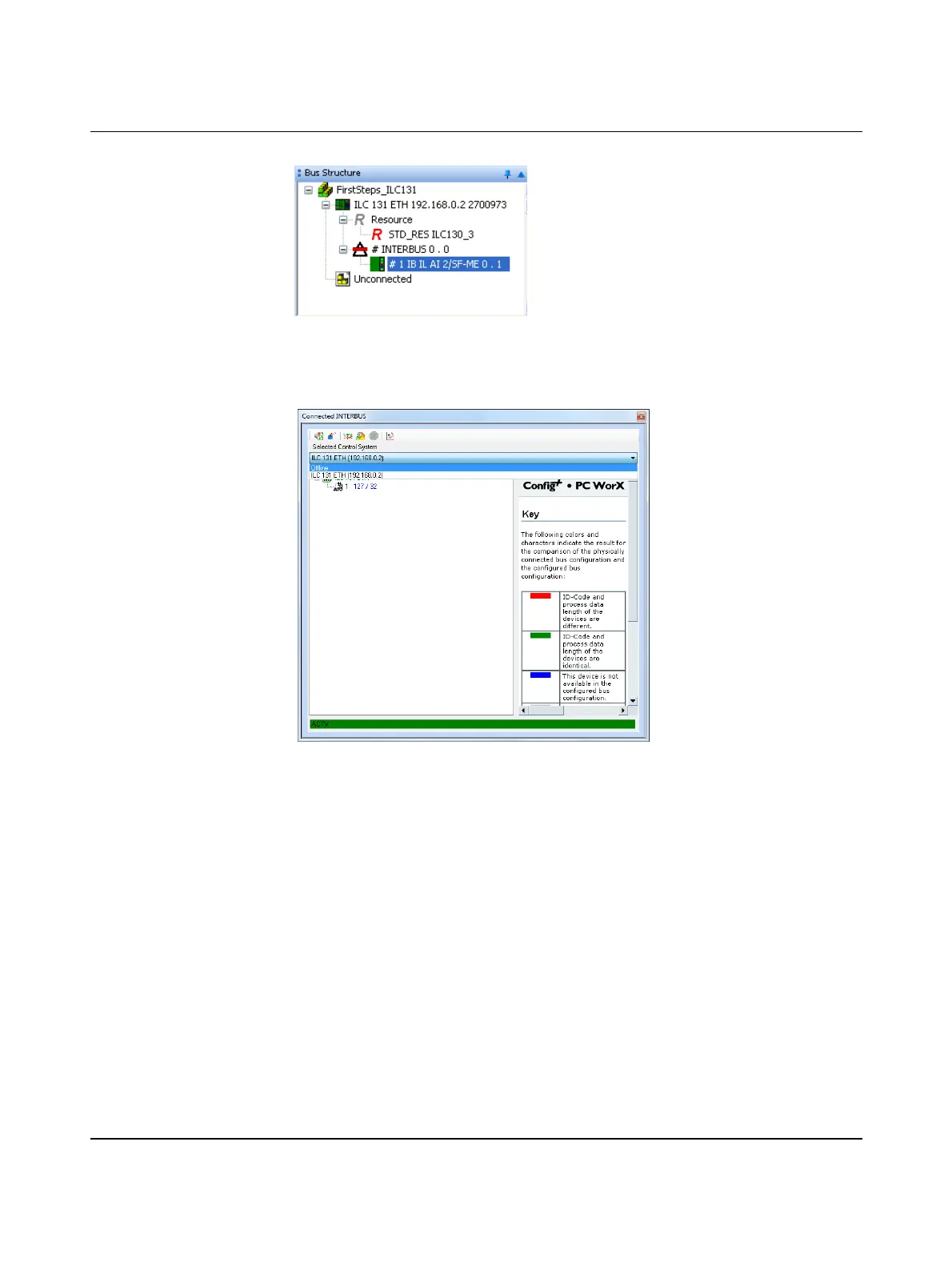
Complete bus
configuration
Figure 5-18 Complete bus configuration for the example project
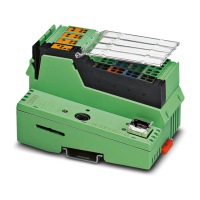
Breaking the connection • Break the connection by selecting “Offline” under “Selected Control System” in the
“Connected INTERBUS” window.
Figure 5-19 “Connected INTERBUS” window: “Selected Control System - Offline”
5.1.6 Compiling and sending a project, and performing a cold
restart after reading in the bus topology
Now the project contains the full bus configuration. At this point you can compile your project
in order to detect any errors that may have occurred.
• In order to start up the project, compile it, send it to the controller, and perform a cold
restart. Proceed as described in Section 4.6, “Compiling and transmitting a project and
performing a cold restart”.
The ILC 131 ETH Inline controller and the connected Inline terminal are now started up. The
D LED on the Inline terminal is permanently on. INTERBUS is running.



 To Next Page