General
105724_en_01 PHOENIX CONTACT 9
1.5 System requirements
1.5.1 Supported operating systems
– Windows
®
XP SP3
– Windows
®
Vista Business SP2
– Windows
®
7 Professional (32/64 bit) SP1
– Windows
®
8 Professional (32/64 bit)
– Windows
®
8 Ultimate
1.5.2 Hardware requirements
1.5.3 Programming software
1.5.4 Required firmware version
Table 1-2 Hardware requirements
Hardware requirements for PC WORX EXPRESS
CPU Pentium 4, 1 GHz (2 GHz recommended)
RAM 1 Gbyte (minimum), 2 Gbyte (recommended)
Hard disk space 2 Gbyte free memory space
DVD drive Yes
Interfaces 1 x Ethernet (TCP/IP)
Monitor XGA, resolution of 1024 x 768 pixels (minimum),
SXGA, resolution of 1280 x 1024 (recommended)
Operating devices Keyboard, mouse
Web browser
Java Standard Edition SE 6 (or later) with at least
Java Runtime Environment JRE 6 (Version 1.6.x or later)
Table 1-3 Required programming software
Software Software version
PC WORX EXPRESS ≥ 6.30
Table 1-4 Required firmware version
Device Firmware version
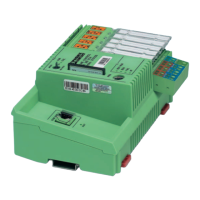
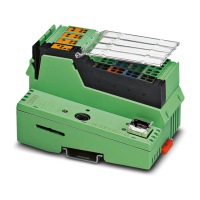
ILC 131 ETH ≥ 4.01
If the firmware version on your device is earlier than that specified in Table 1-4, please
update your firmware. The latest firmware can be downloaded from
phoenixcontact.net/products.



 To Next Page