ILC 131 STARTERKIT
74
PHOENIX CONTACT 105724_en_01
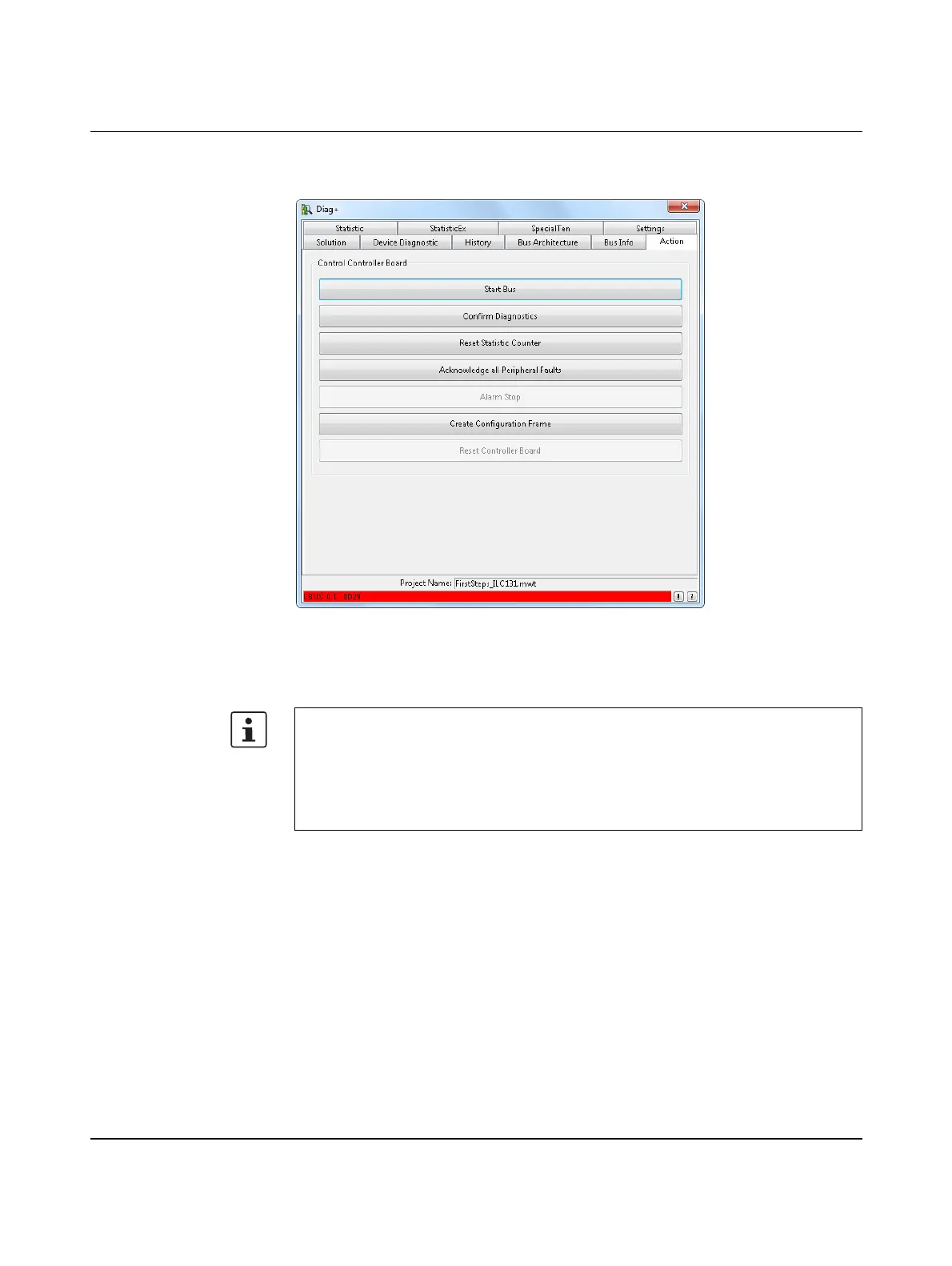
“Action” tab If the bus is not started automatically, the “Action” tab can be used, for example, to
acknowledge errors, reset the controller, and start the bus.
Figure 6-7 “Action” tab
• Click on “Start Bus” to start up the entire bus configuration again following error
removal.
Depending on the bus configuration that you have set, peripheral faults may have to be
reset before the bus can be restarted following error removal.
• In this case, click on “Acknowledge all Peripheral Faults” to reset the error message
for the corresponding module.
• Click on “Start Bus” again to start up the entire bus configuration again following error
removal.



 To Next Page