Visualization with WebVisit
105724_en_01 PHOENIX CONTACT 79
Changing the language setting
As of version 6.21.00, it is possible to change the language of the user interface in WebVisit.
Proceed as follows to change the language of the user interface:
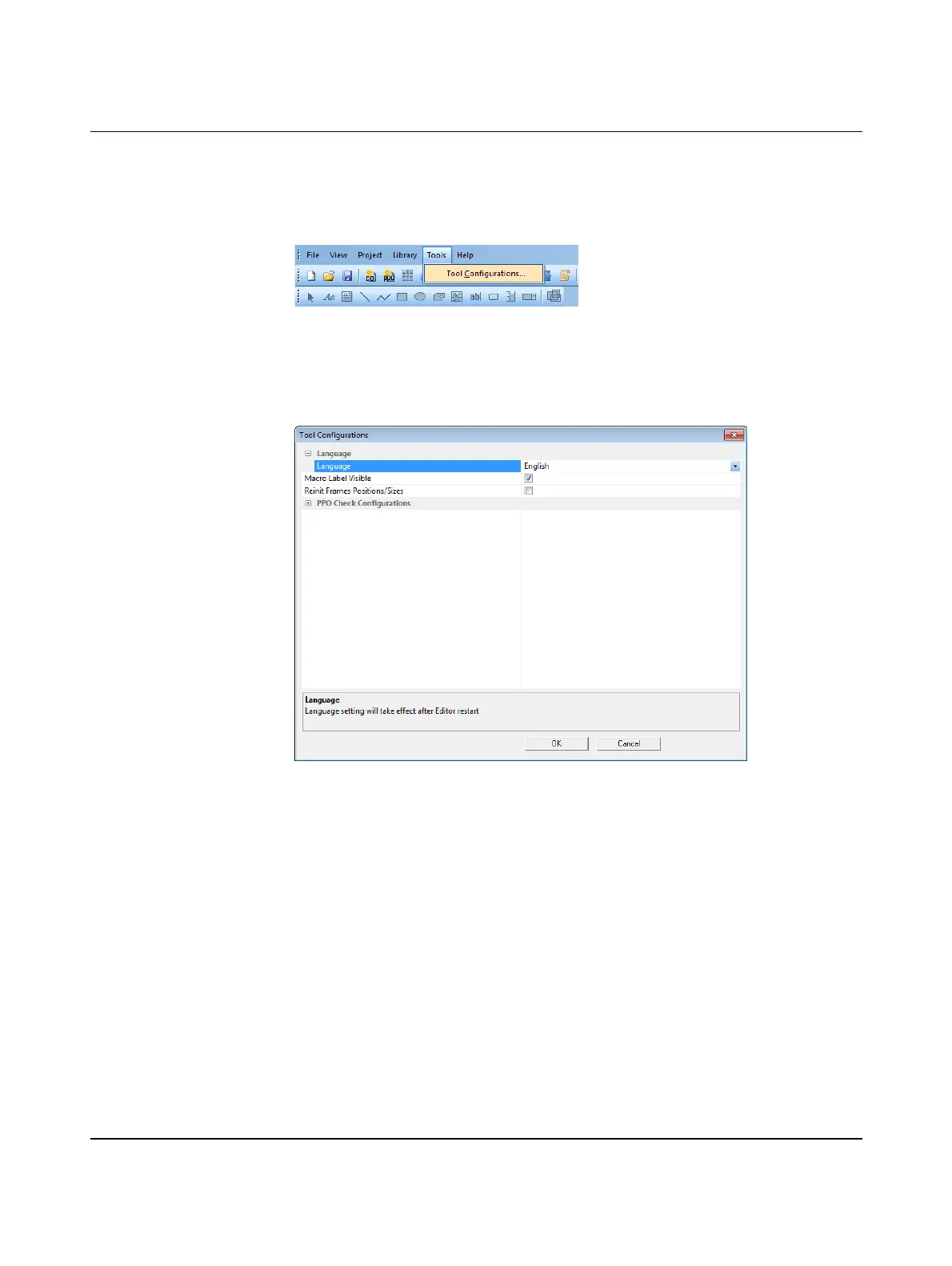
• In the menu bar select “Tools, Tool Configurations...”.
Figure 7-3 Open “Tool Configurations”
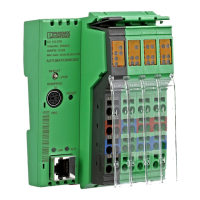
• Click on the “Language” cell.
A drop-down menu appears in the cell to the right of the “Language” cell.
• Select the desired language.
Figure 7-4 “Tool Configurations” window
• Confirm your selection with “OK”.
The language setting takes effect after WebVisit is restarted.









 To Next Page